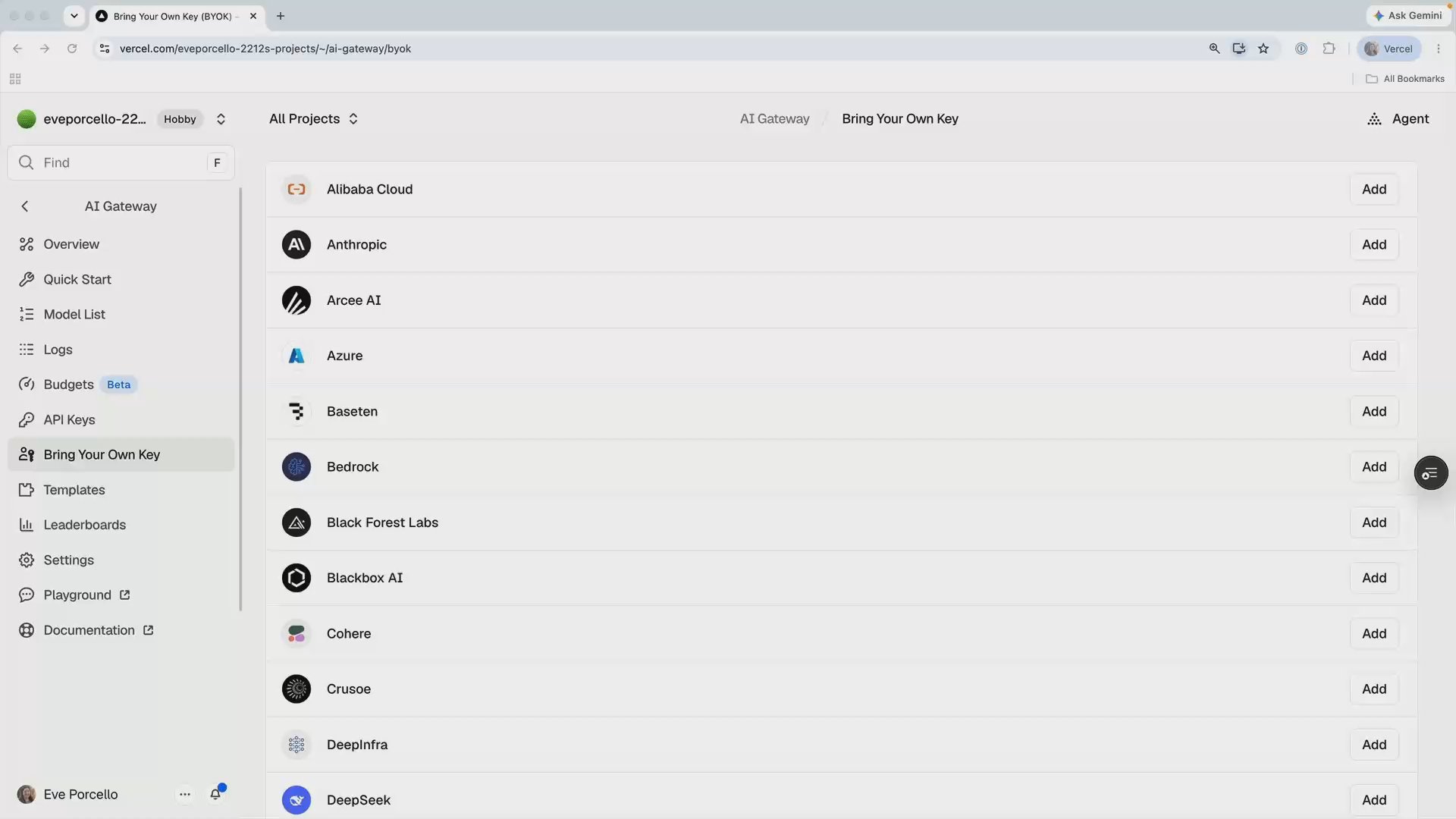
How Do I Bring My Own Provider Keys?
Bring Your Own Key, or BYOK, lets AI Gateway authenticate to model providers with credentials you already manage.
The provider bills you under your existing terms, and Vercel adds no markup or fee. BYOK is useful when you have provider credits, negotiated enterprise rates, or models deployed in your own cloud that Gateway system credentials cannot reach.
Outcome
Add a provider key, and prove from a response's routing metadata exactly whose credentials, yours or the system's, served the request.
Fast Track
- AI Gateway tab → Bring Your Own Key (BYOK) → find your provider → Add
- Enter credentials, leave Enabled on, click Test Key
- Run
pnpm whose-keyand readcredentialTypeoff the receipt
Hands-on exercise
Assume Taco Tuesday already has provider credits with Anthropic. Adding that credential lets matching requests use the provider account while the application keeps its Gateway request path.
Requirements:
- Add the provider key in the dashboard BYOK section and confirm Test Key passes
- Build
scripts/whose-key.ts: one request to a model that provider serves, then walkrouting.modelAttempts[].providerAttempts[]from the metadata and print each attempt'sprovider,credentialType, andsuccess - Update your spend policy from lesson 2.5 to include provider-side billing and fallback usage
No provider key handy? Run the script anyway. Every attempt will say credentialType: "system", which is the baseline reading, and the script becomes your verification tool the day you do add one.
Try It
pnpm whose-keyWith a BYOK key configured for Anthropic:
Attempt 1: anthropic (byok) — success
Served by: anthropic using YOUR key
credentialType: "byok" confirms that the provider credential served the successful request.
The following block is a previously captured, sanitized fallback trace:
Attempt 1: anthropic (byok) — failed: Unauthorized
Attempt 2: anthropic (system) — success
Served by: anthropic using system credentials
Two issues you may encounter:
Every attempt says system. Check that the credential is enabled and that the provider serves the selected model. Use only or order from lesson 1.7 when traffic must reach the provider that owns the key.
You're on the free tier. BYOK requires purchased credits, precisely because of the fallback: the Gateway needs a balance to bill when it rescues your failed request with system credentials.
Commit
git commit -m "feat(byok): add whose-key script to verify credential routing"Done-When
- Test Key passes in the dashboard (or you've consciously deferred adding a key)
scripts/whose-key.tsprintscredentialTypefor every attempt- You can explain where the money goes in both the
byokand fallback cases - The spend policy reflects the new provider credential and fallback path
Solution
import { generateText } from "ai";

const result = await generateText({
  model: "anthropic/claude-sonnet-4.6",
  prompt: "One sentence: talk a nervous first-timer into the Birria Eclipse.",
});

const routing = result.finalStep.providerMetadata?.gateway?.routing as any;
const attempts = routing?.modelAttempts?.flatMap(
  (m: any) => m.providerAttempts ?? []
) ?? [];

attempts.forEach((a: any, i: number) => {
  const outcome = a.success ? "success" : `failed: ${a.error}`;
  console.log(`Attempt ${i + 1}: ${a.provider} (${a.credentialType}) — ${outcome}`);
});

const winner = attempts.find((a: any) => a.success);
const whose = winner?.credentialType === "byok" ? "YOUR key" : "system credentials";
console.log(`Served by: ${winner?.provider} using ${whose}`);
For per-request credentials instead of team-wide ones, the same proof works with the request-scoped option:
providerOptions: {
  gateway: {
    byok: {
      anthropic: [{ apiKey: process.env.ANTHROPIC_API_KEY }],
    },
  },
},
The routing metadata identifies the billing path for each attempt, which belongs in the spend policy from lesson 2.5.
Related Questions
Was this helpful?