How Is AI Gateway Priced?
A gateway sits between the application and the model provider, so its fee belongs in the first round of questions.
AI Gateway does not add a token markup. We will verify the charge by running one request, estimating its token cost, and finding the same request in the dashboard.
Outcome
Run one request through AI Gateway and trace it to the exact fraction of a cent it cost in your dashboard.
Fast Track
- Grab an API key: Vercel dashboard, AI Gateway tab, create key
- Run a
generateTextscript withAI_GATEWAY_API_KEYset - Open AI Gateway in the dashboard and find that request's cost
Hands-on exercise
The Taco Tuesday assistant writes menu descriptions. Each description is inexpensive, but the total only makes sense if we can trace a request from its token counts to the amount charged.
Let's build a small script that generates one menu description and prints its own receipt.
Requirements:
- A
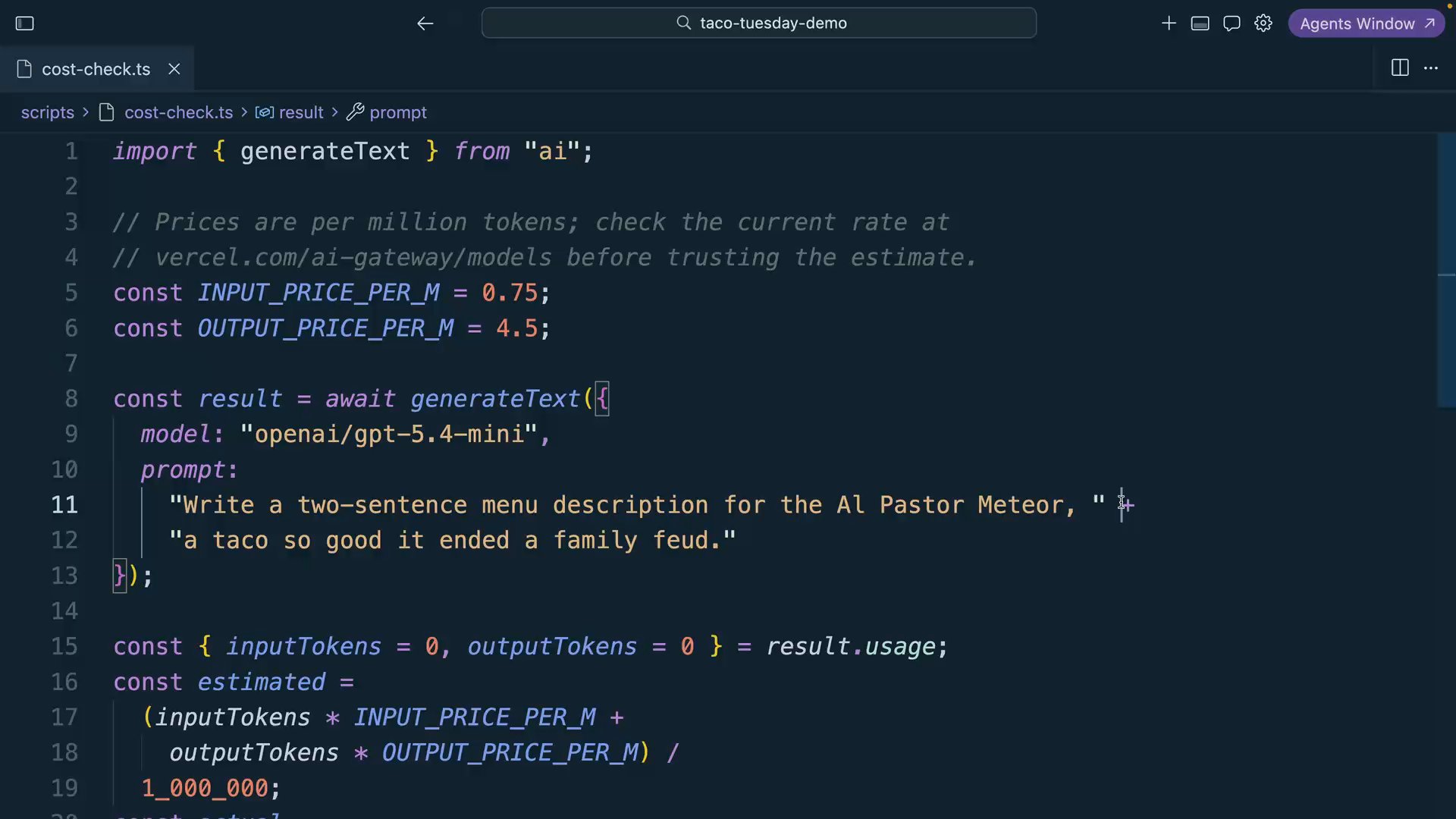
scripts/cost-check.tsthat callsgenerateTextwith the model stringopenai/gpt-5.4-mini - Prompt it to describe today's special (give the taco a name with some dignity)
- Print the model, the input tokens, and the output tokens from
result.usage - Look up the model's per-token price at vercel.com/ai-gateway/models and print an estimated cost
- Then print the actual cost. The Gateway puts it right in the response:
providerMetadata.gateway.cost
Token prices vary by model and serving provider. Look up the current rates in the model catalog, keep the values in named constants, and compare the estimate with the cost returned by the Gateway.
Try It
Run the script:
pnpm cost-checkYou should see something like:
--- Taco Tuesday Cost Receipt ---
Model:         openai/gpt-5.4-mini
Input tokens:  41
Output tokens: 87
Estimated:     $0.000067
Actual:        $0.0000672
Open AI Gateway in the Vercel dashboard and find the request in the usage view. Its request record should match the cost printed by the script.
Two issues you may encounter:
You get a 429 error. The free tier applies per-model rate limits. Wait a moment and retry. If this happens frequently, review the paid tier's higher limits.
The model isn't available. Either it's not in the free tier subset, or the model string has a typo. The format is always creator/model-name. Check the exact string against the model list rather than guessing.
Commit
git commit -m "feat(pricing): add cost-check script that traces one request to its exact cost"Done-When
scripts/cost-check.tsruns and prints token counts, your estimate, and the actual cost from the response- The request appears in your AI Gateway dashboard usage view with the same cost
- Your estimate matches the actual charge within rounding
- You can state the Gateway's token markup
Solution
import { generateText } from "ai";

// Prices are per million tokens; check the current rate at
// vercel.com/ai-gateway/models before trusting the estimate.
const INPUT_PRICE_PER_M = 0.6;
const OUTPUT_PRICE_PER_M = 2.4;

const result = await generateText({
  model: "openai/gpt-5.4-mini",
  prompt:
    "Write a two-sentence menu description for the Al Pastor Meteor, " +
    "a taco so good it ended a family feud. Keep it tasteful. The description, not the taco.",
});

const { inputTokens = 0, outputTokens = 0 } = result.usage;
const estimated =
  (inputTokens * INPUT_PRICE_PER_M + outputTokens * OUTPUT_PRICE_PER_M) / 1_000_000;
const actual = result.finalStep.providerMetadata?.gateway?.cost;

console.log(result.text);
console.log("--- Taco Tuesday Cost Receipt ---");
console.log(`Model:         openai/gpt-5.4-mini`);
console.log(`Input tokens:  ${inputTokens}`);
console.log(`Output tokens: ${outputTokens}`);
console.log(`Estimated:     $${estimated.toFixed(6)}`);
console.log(`Actual:        $${actual}`);
With AI_GATEWAY_API_KEY in the environment, the model string routes through AI Gateway. The response cost gives us a direct check against the estimate.
Related Questions
Was this helpful?