How Do I Use AI Credits I Already Bought?
AI Gateway Credits are prepaid and automatically fund eligible Gateway requests. Start by confirming which balance you have and which traffic uses it.
We will find the balance, run one request, and verify the charge in its request record.
Gateway credits and provider credits belong to different accounts. Gateway credits fund requests billed through Vercel. Provider credits apply when a BYOK credential sends the charge to that provider account.
Outcome
Find your credit balance, make a request, and confirm the exact cost of that request came out of the balance.
Fast Track
- Open AI Gateway in the Vercel dashboard and locate the balance
- Run
pnpm cost-checkfrom the demo app - Refresh the usage view and match the charge to the script's receipt
Hands-on exercise
Use the cost-check script from lesson 2.1 as a known request:
- Note whether you're on free credits or purchased credits (the balance display says which)
- Run
pnpm cost-checkand keep theActualline from its receipt - Find that request in the usage view and confirm the charge matches
The first credit purchase ends eligibility for monthly credits. Review the current tier details, auto top-up setting, and budget controls before adding funds.
Try It
After running pnpm cost-check:
Estimated:     $0.000067
Actual:        $0.0000672
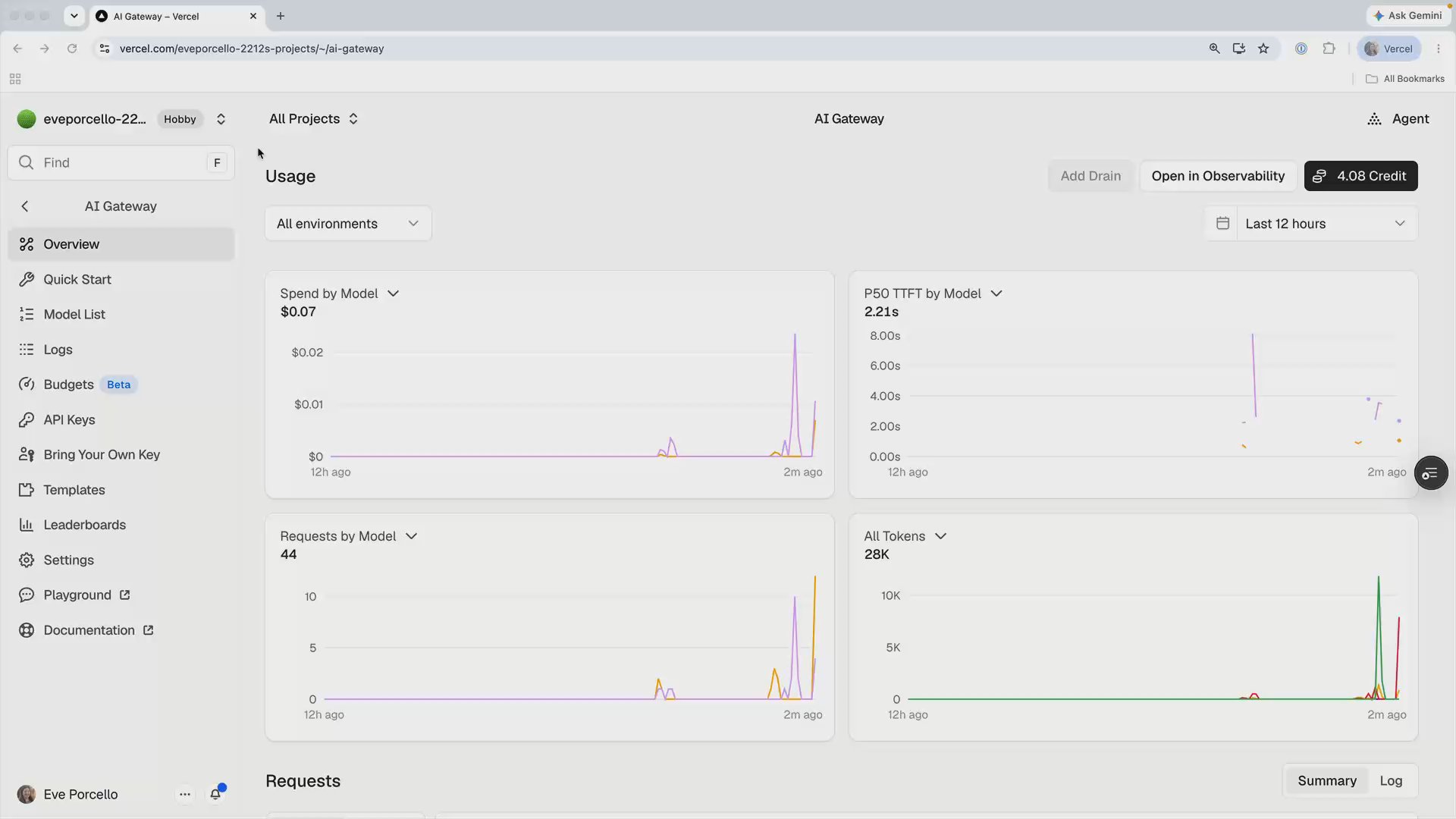
Refresh the Usage view in the dashboard. The request should appear with the same cost as the script's Actual line and be reflected in the credit balance.
Two issues you may encounter:
The request returns 429. Free-tier limits apply per model. Wait, retry, or use another currently eligible model.
The model errors instead of answering. The free tier covers a subset of the catalog. If openai/gpt-5.4-mini isn't in it right now, pick any model from the free tier list; the balance mechanics are identical.
Bookmark It
No code changed here. Bookmark the AI Gateway dashboard so the balance, usage, and request records are easy to find.
Done-When
- You know your current balance and whether it's free or purchased credits
- You matched one request's receipt to its charge in the usage view
- You can explain the difference between AI Gateway Credits and provider credits without looking
- Auto top-up is in the state you chose on purpose (probably off, for now)
Solution
The work happened in the dashboard:
- AI Gateway tab → balance (upper right). Free or purchased is labeled on the balance display.
- Balance button → top-up dialog (purchase amounts, payment, and the auto top-up toggle live here).
- Usage view → per-request charges, matching
providerMetadata.gateway.costfrom your code.
The request record is the reliable confirmation for a small charge that may not change a rounded balance display.
Related Questions
Was this helpful?