How Do I Switch Models Without Rewriting My App?
When a new model becomes available, your team may need to compare its quality, latency, and cost with the current model before deciding whether to adopt it.
With direct integrations, that comparison can require another SDK or changed response handling. Through the Gateway, the application change is the model string.
Outcome
Run the order-confirmation prompt across three candidate models, compare the responses and costs, then make the production model change in one place.
Fast Track
- Run
pnpm switch-models - Read the three answers and three costs
- Change the order chat's model string in
app/api/order/route.tsif a candidate wins
Hands-on exercise
Requirements:
- A
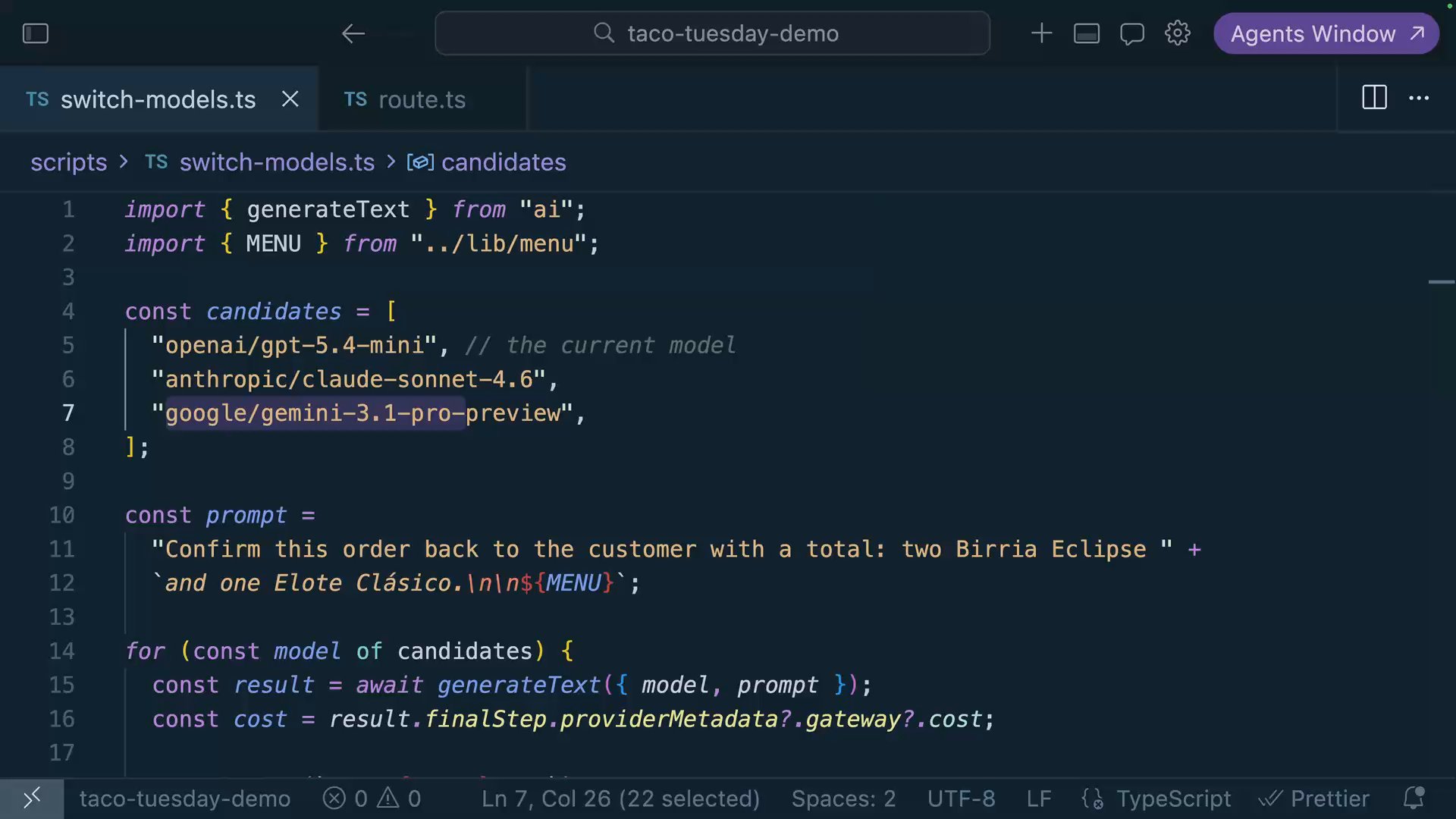
scripts/switch-models.tswith acandidatesarray of three model strings: the incumbentopenai/gpt-5.4-mini, plusanthropic/claude-sonnet-4.6and one more from the model list (browse and pick; that's part of the exercise) - Same order-confirmation prompt for all three, with the menu attached
- Print each answer and its actual cost from the metadata
The shared request shape keeps this comparison in one loop, so the evaluation can focus on output quality, latency, and cost.
Try It
pnpm switch-models=== openai/gpt-5.4-mini ===
"Two Birria Eclipses and an elote — $13.50. Consommé's on the side, napkins are on you."
Cost: $0.0000702
=== anthropic/claude-sonnet-4.6 ===
"Confirmed: two Birria Eclipse tacos with consommé and one Elote Clásico, $13.50 all in."
Cost: $0.0021675
=== google/gemini-3.1-pro-preview ===
"Order confirmed — two Birria Eclipse ($5.00 each), one Elote Clásico ($3.50): $13.50."
Cost: $0.0009480
All three candidates used the same prompt and request code. Choose the model that meets the feature's requirements, then update the production string.
Two issues you may encounter:
A candidate model errors with "not found." Model catalogs move. Check the exact string on the model list; and if you're on the free tier, remember it covers a subset, so a brand-new model may need purchased credits to try.
The new model answers differently than your prompts assume. Handle that difference through prompt and behavior testing. The integration itself remains unchanged, so your evaluation effort can focus on output quality.
Commit
git commit -m "feat(models): add candidate comparison for the order confirmation prompt"Done-When
- Three models from at least two companies answered via one loop
- You know each answer's actual cost
- You can explain why evaluation traffic tests a candidate while fallback traffic only handles failures
Solution
import { generateText } from "ai";
import { MENU } from "../lib/menu";

const candidates = [
  "openai/gpt-5.4-mini", // the incumbent
  "anthropic/claude-sonnet-4.6",
  "google/gemini-3.1-pro-preview",
];

const prompt =
  "Confirm this order back to the customer with a total: two Birria Eclipse " +
  `and one Elote Clásico.\n\n${MENU}`;

for (const model of candidates) {
  const result = await generateText({ model, prompt });
  const cost = result.finalStep.providerMetadata?.gateway?.cost;

  console.log(`=== ${model} ===`);
  console.log(`"${result.text.trim()}"`);
  console.log(`Cost: $${cost}`);
  console.log();
}
After the evaluation, update the production model in app/api/order/route.ts:
-    model: "openai/gpt-5.4-mini",
+    model: "anthropic/claude-sonnet-4.6",
The code change is small because the evaluation happened first.
Related Questions
Was this helpful?