
Explore React 19 and how to start using it on Vercel today.
React 19 is near. The React Core Team announced a React 19 release candidate (RC) this past April. This major version brings several updates and new patterns, aimed at improving performance, ease of use, and developer experience.
Many of these features were introduced as experimental in React 18, but they will be marked as stable in React 19. Here’s a high-level look at what you need to know to be ready.
Link to headingServer Components
Server Components are one of the biggest changes to React since its initial release 10 years ago. They act as a foundation for React 19’s new features, improving:
Initial page load times. By rendering components on the server, they reduce the amount of JavaScript sent to the client, resulting in faster initial loads. They also let data queries start on the server before the page is sent to the client.
Code portability. Server Components let developers write components that can run on both the server and client, which reduces duplication, improves maintainability, and enables easier sharing of logic across your codebase.
SEO. Server-side rendering of components allows search engines and LLMs to crawl and index content more effectively, improving search engine optimization.
We won’t dive deep into Server Components or rendering strategies in this post. However, to understand the significance of Server Components, let’s take a brief look at how React rendering has evolved.
React started with Client-Side Rendering (CSR), which served minimal HTML to the user.
<!DOCTYPE html><html> <body> <div id="root"></div> <script src="/static/js/bundle.js"></script> </body></html>The linked script includes everything about your application—React, third-party dependencies, and all your application code. As your application grew, so did your bundle size. The JavaScript is downloaded and parsed, and then React loads the DOM elements into the empty div. While this was happening, all the user sees is a blank page.
Even when the initial UI finally shows, the page content is still missing, which is why loading skeletons gained popularity. Data is then fetched and the UI renders a second time, replacing loading skeletons with actual content.
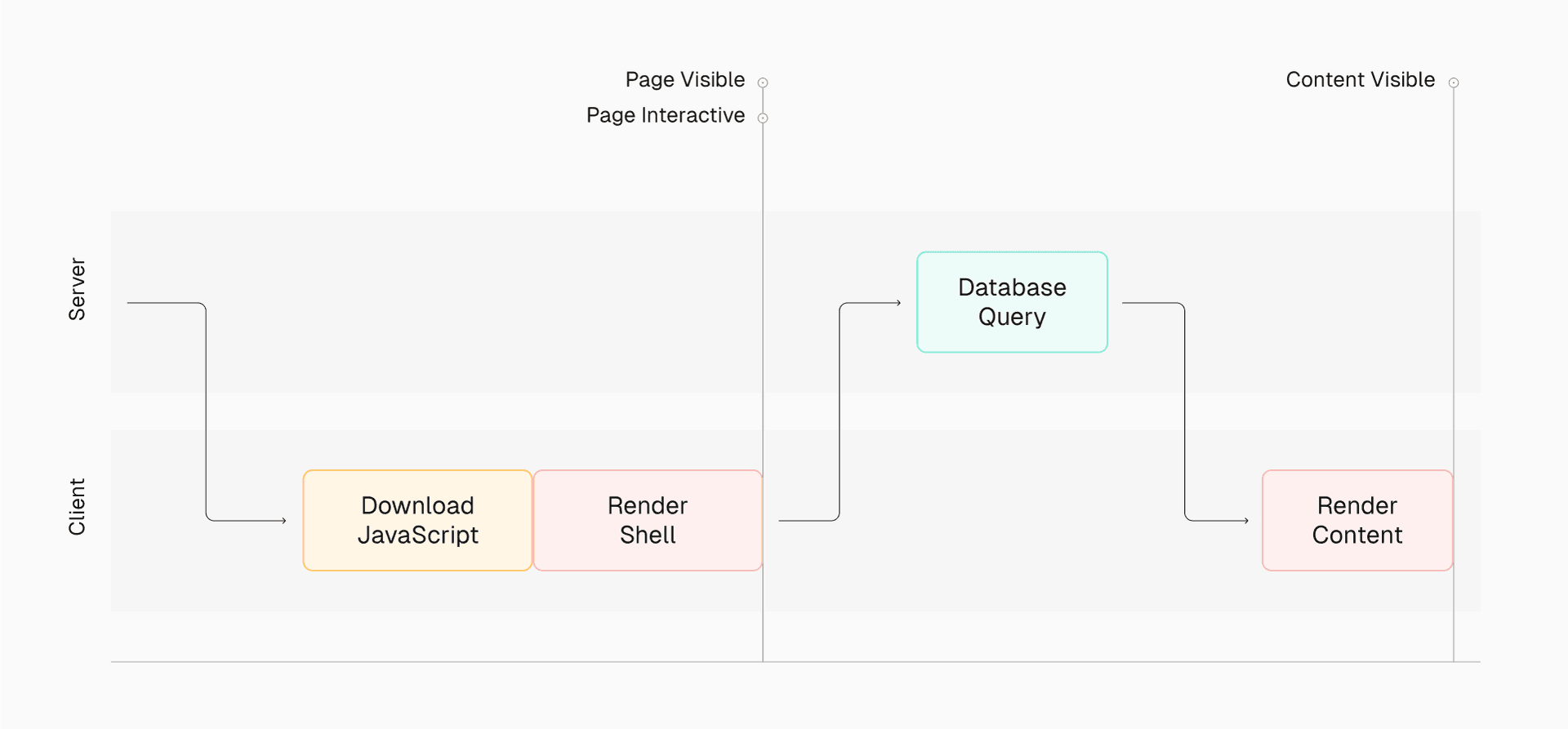
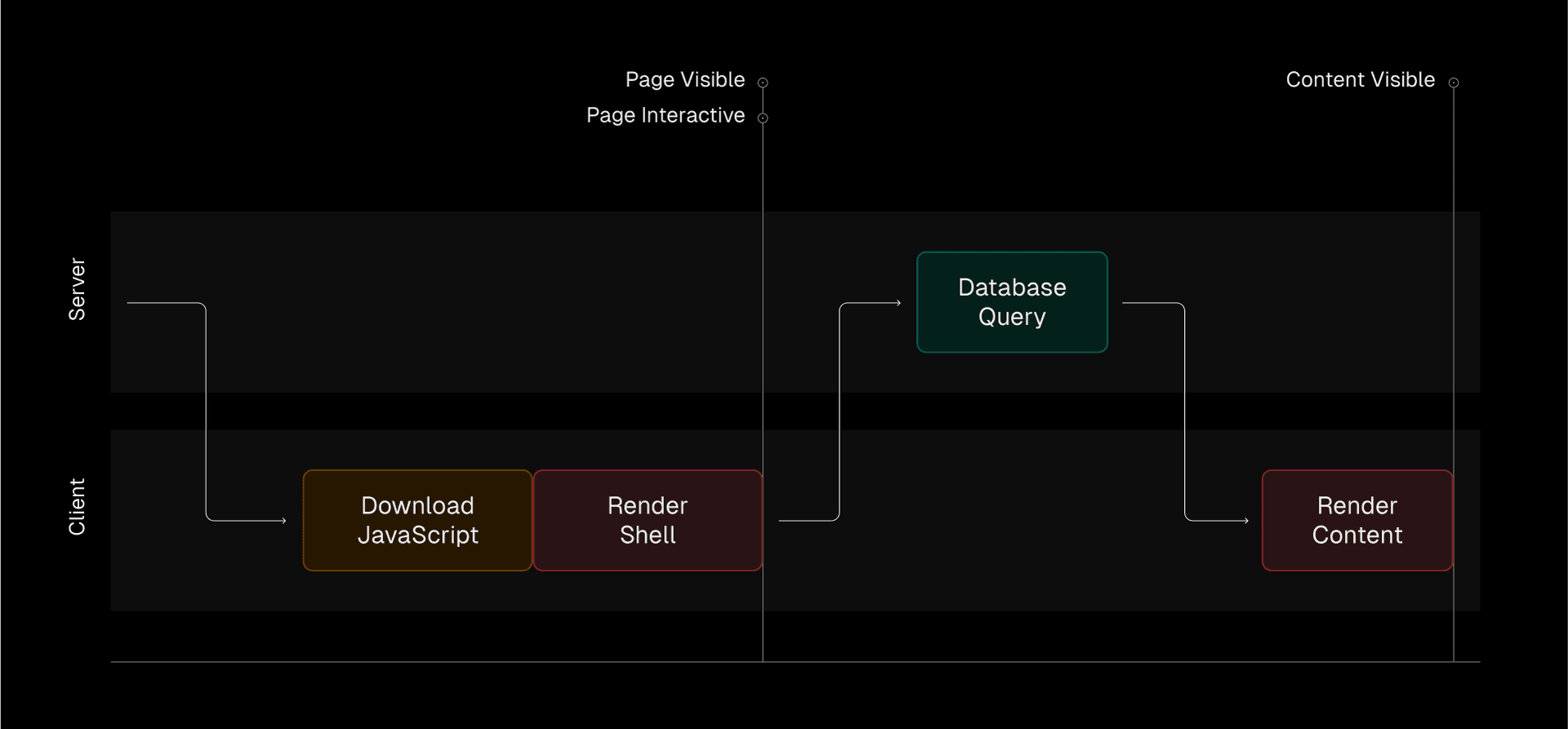
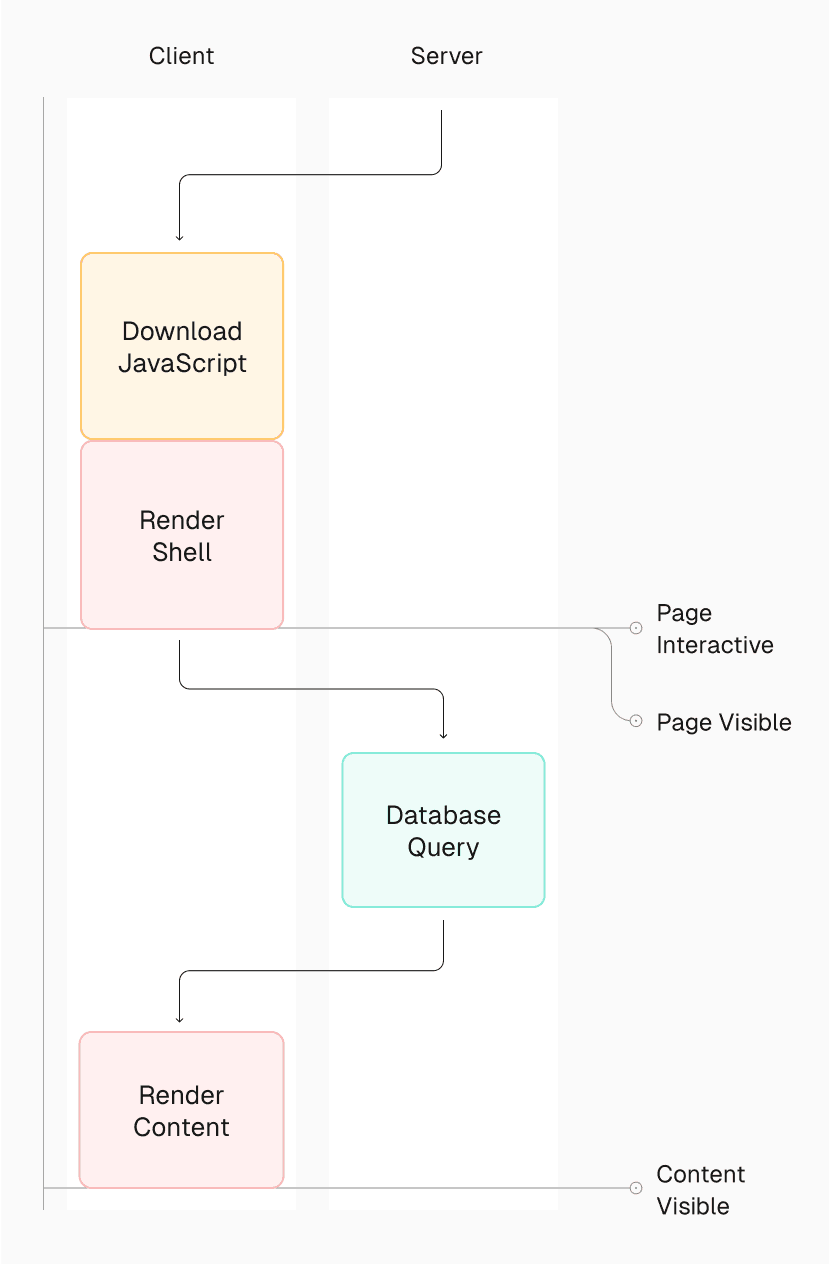
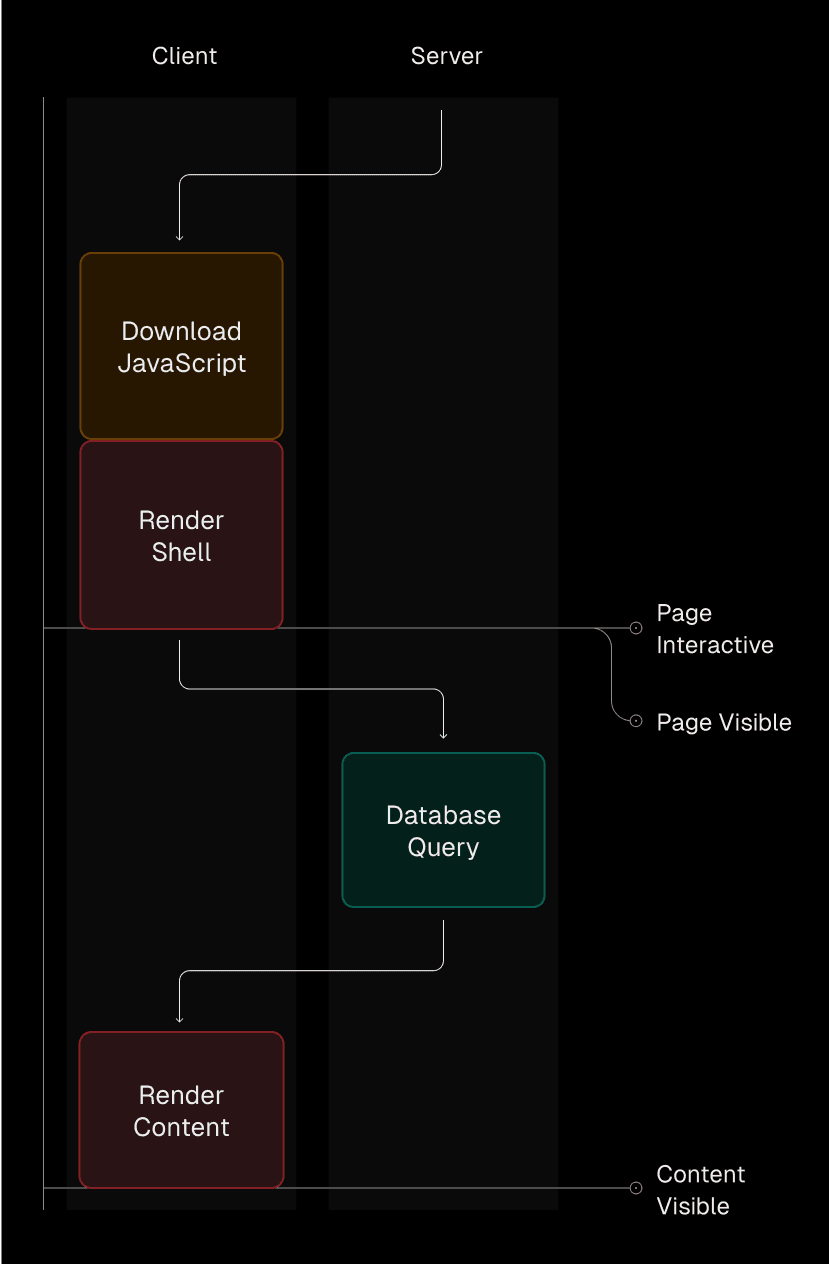
React improved with Server-Side Rendering (SSR), which moves the first render to the server. The HTML served to the user wasn’t empty anymore, and it improves how quickly the user saw the initial UI. However, the data still needs to be fetched to display actual content.
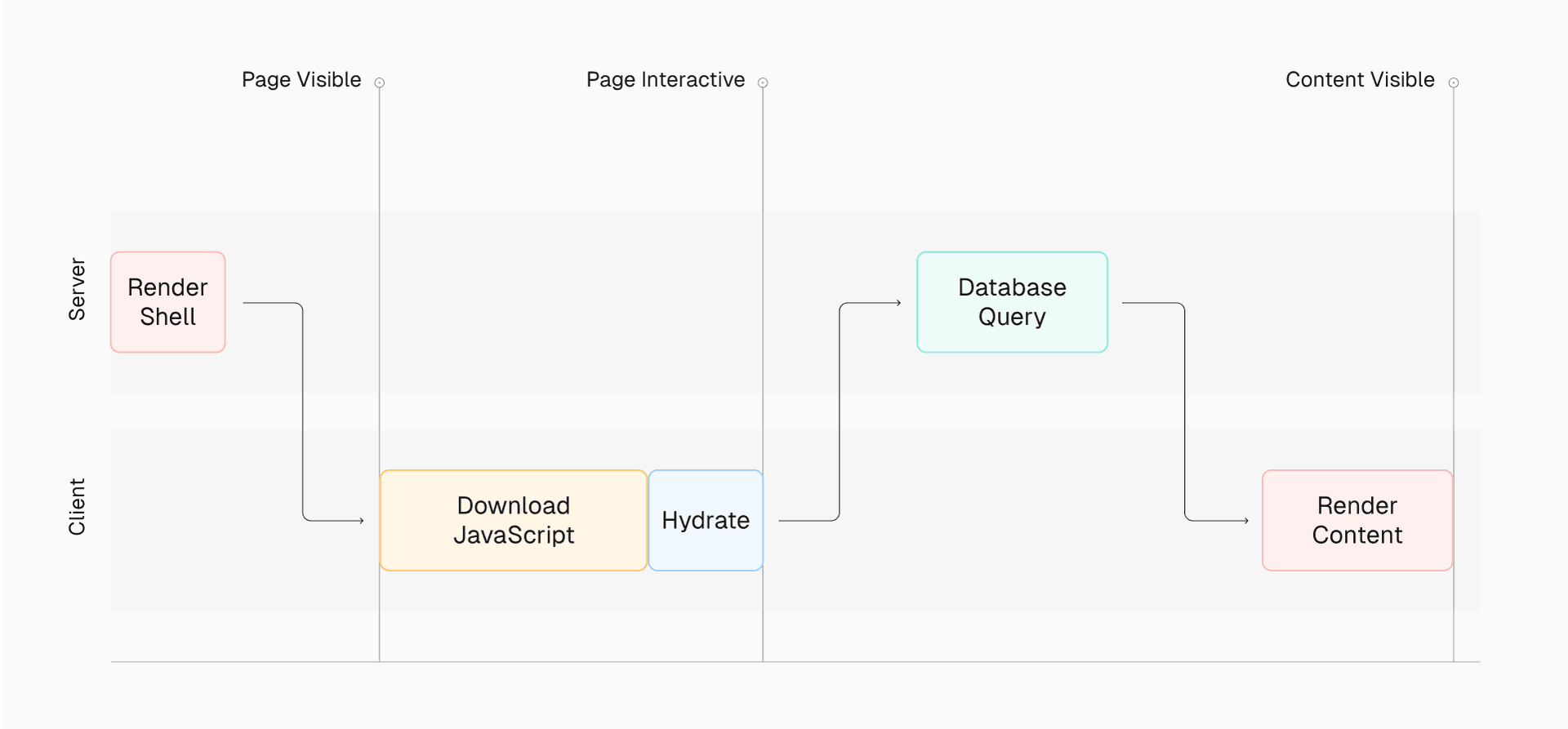
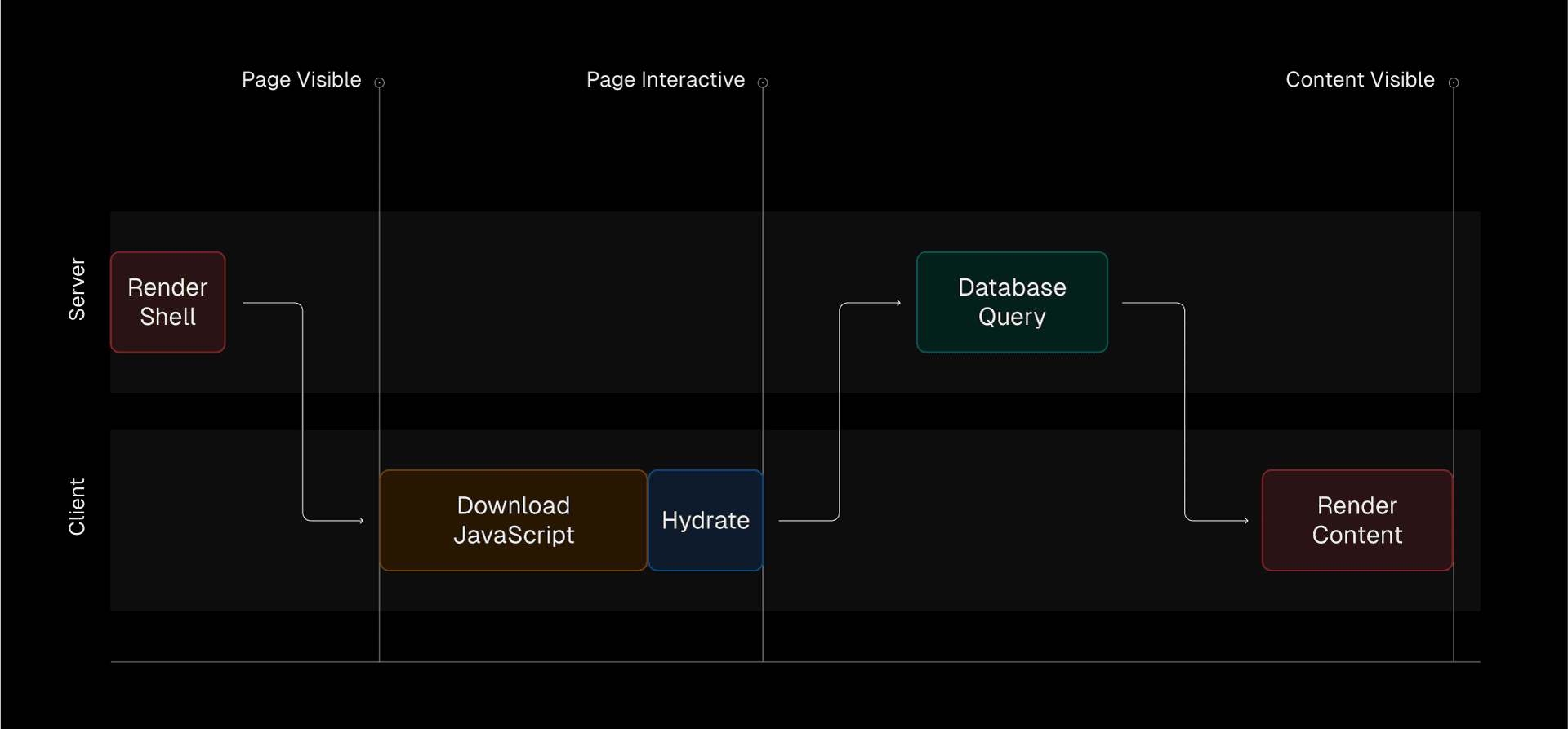
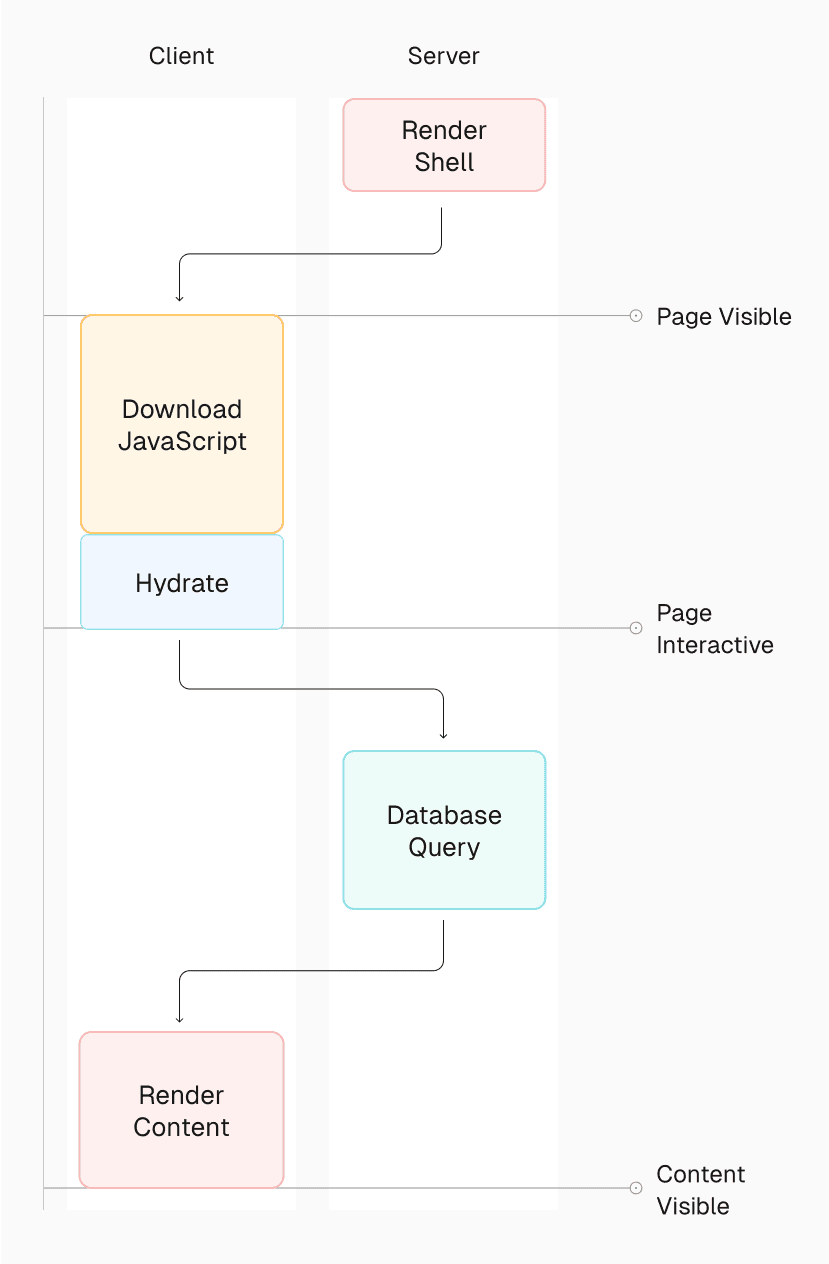
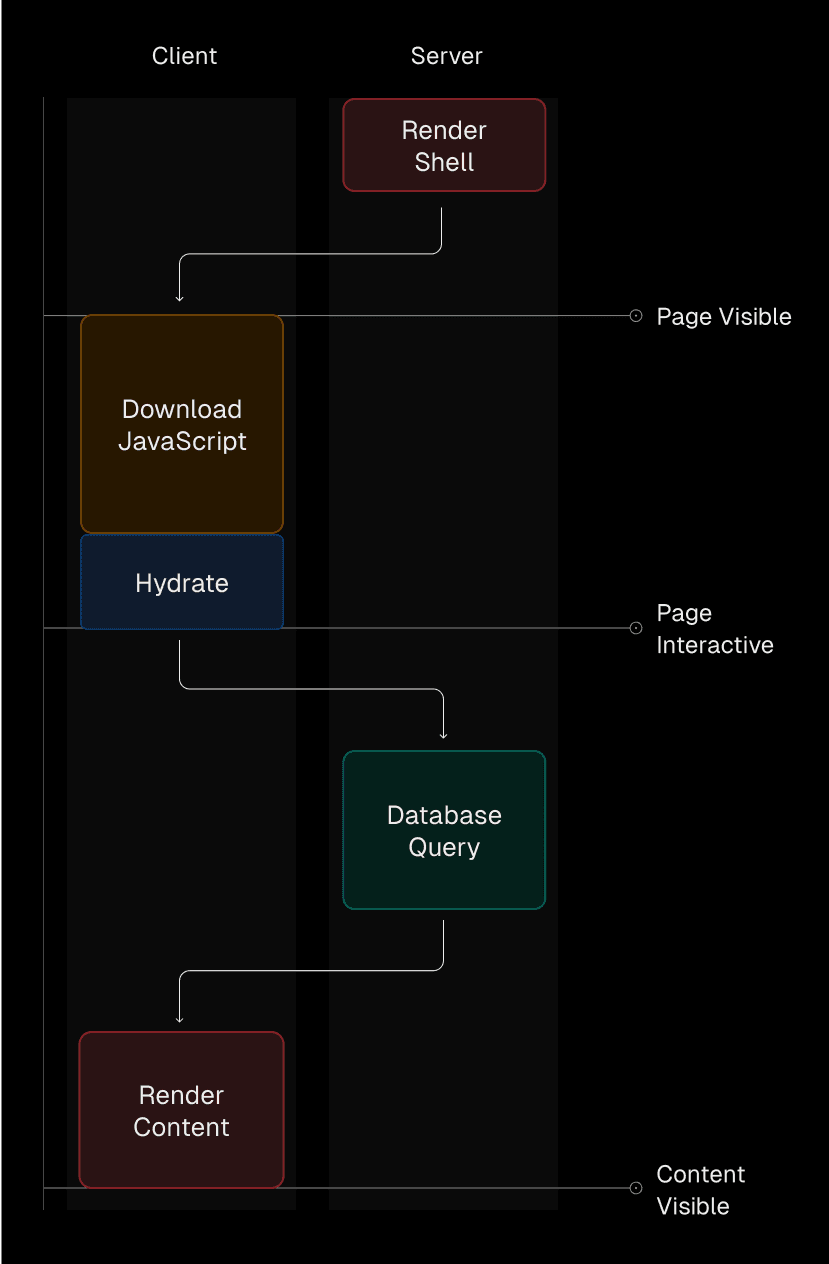
React frameworks stepped in to further improve the user experience with concepts like Static-Site Generation (SSG), which caches and renders dynamic data during the build, and Incremental Static Regeneration (ISR), which recaches and rerenders dynamic data on-demand.
This brings us to React Server Components (RSC). For the first time, native to React, we can fetch data before the UI renders and displays to the user.
export default async function Page() { const res = await fetch("https://api.example.com/products"); const products = res.json(); return ( <> <h1>Products</h1> {products.map((product) => ( <div key={product.id}> <h2>{product.title}</h2> <p>{product.description}</p> </div> ))} </> );}HTML served to the user is fully populated with actual content on the first render, and there is no need to fetch additional data or render a second time.
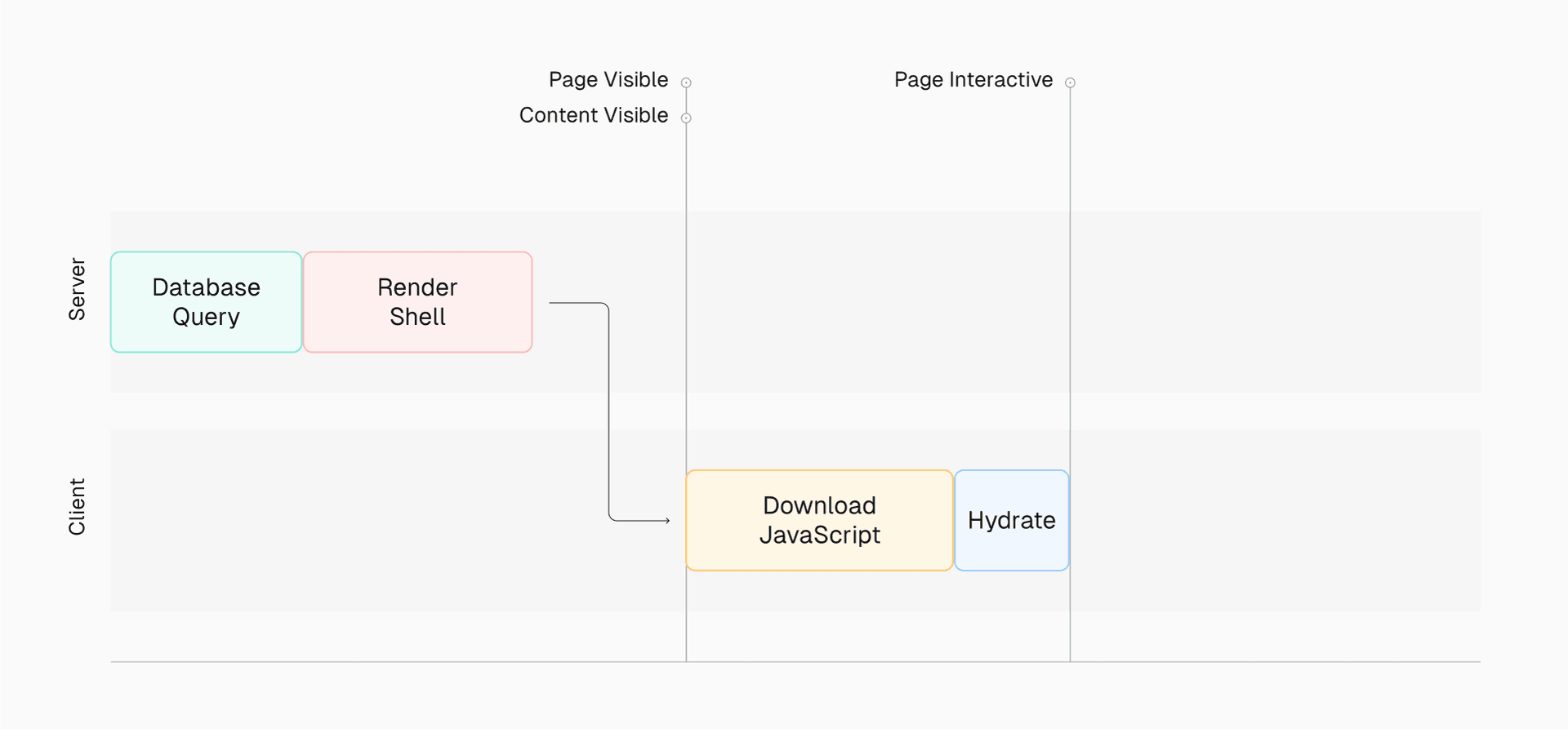
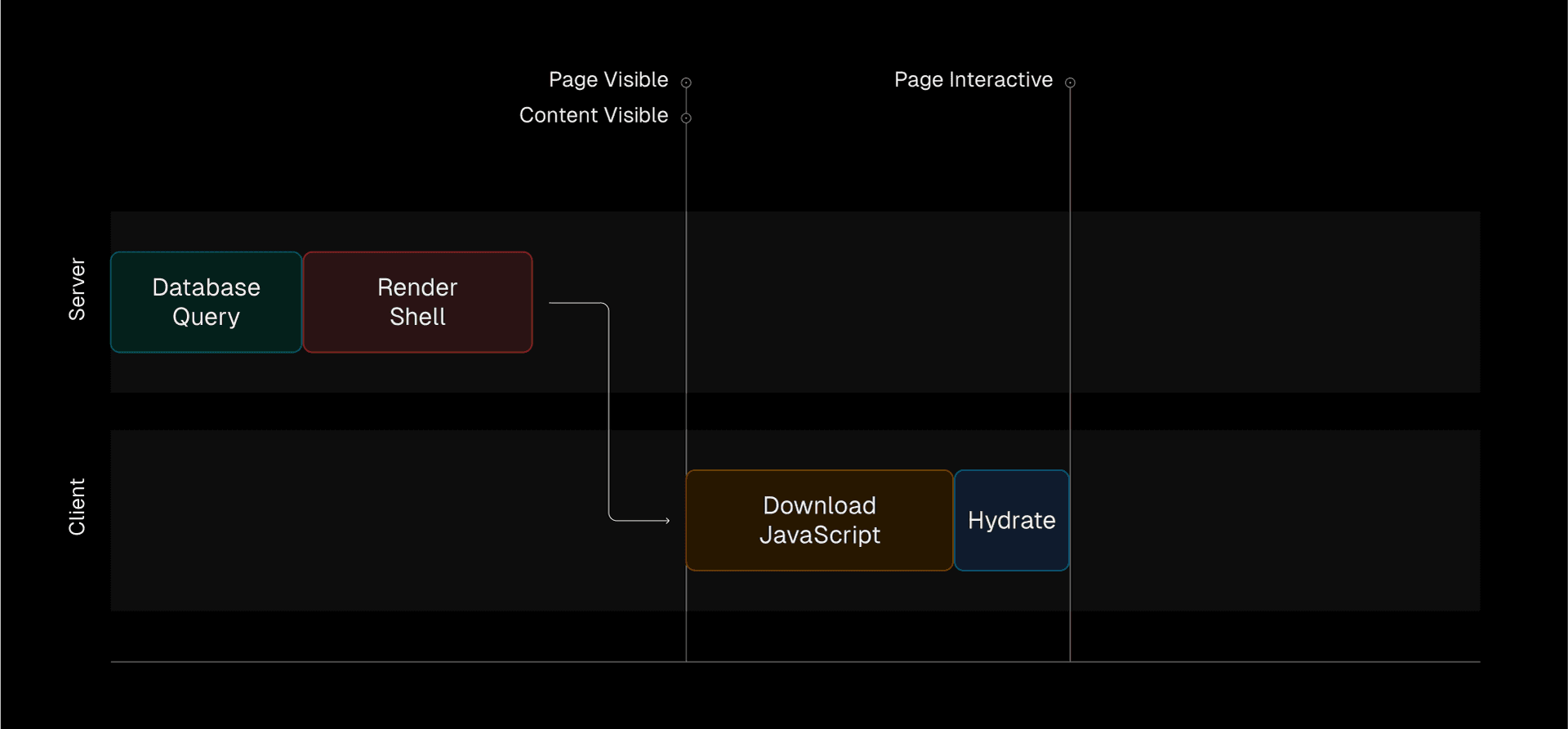
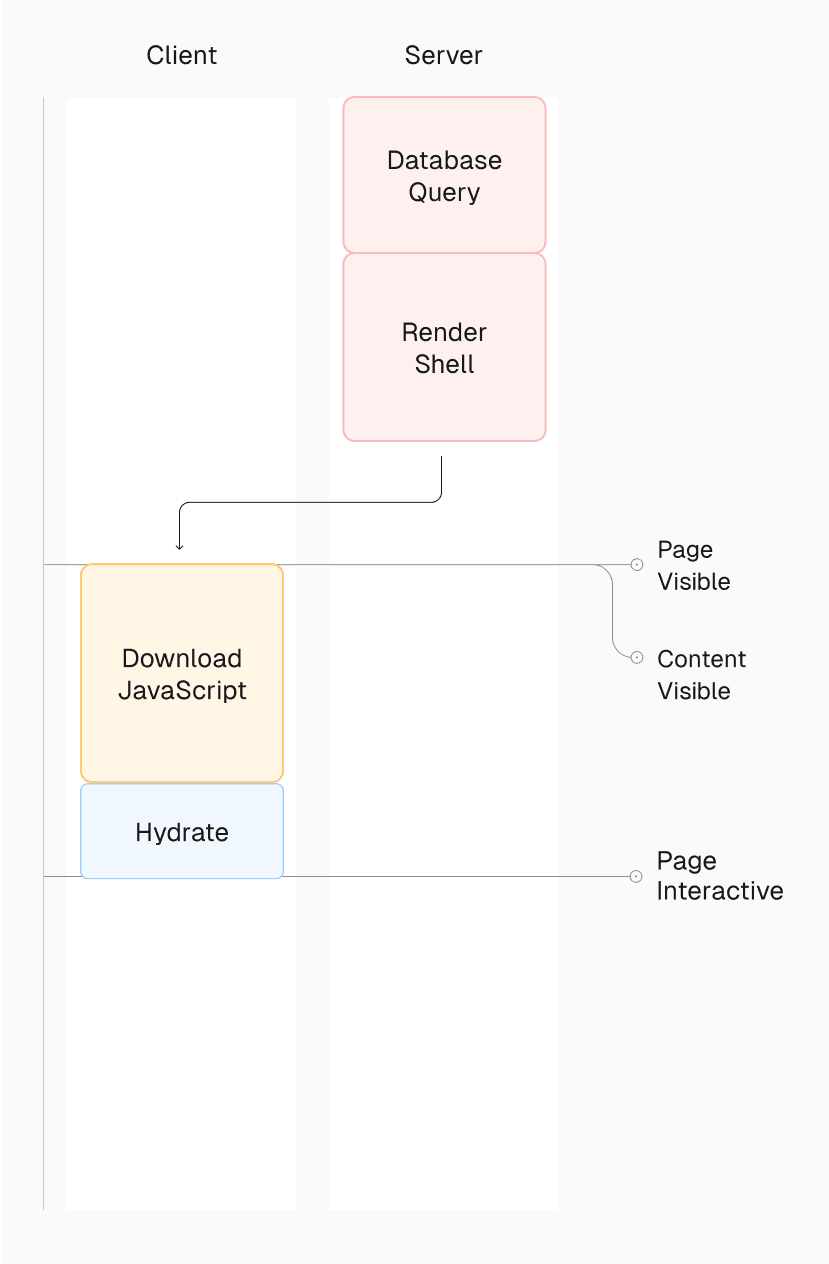
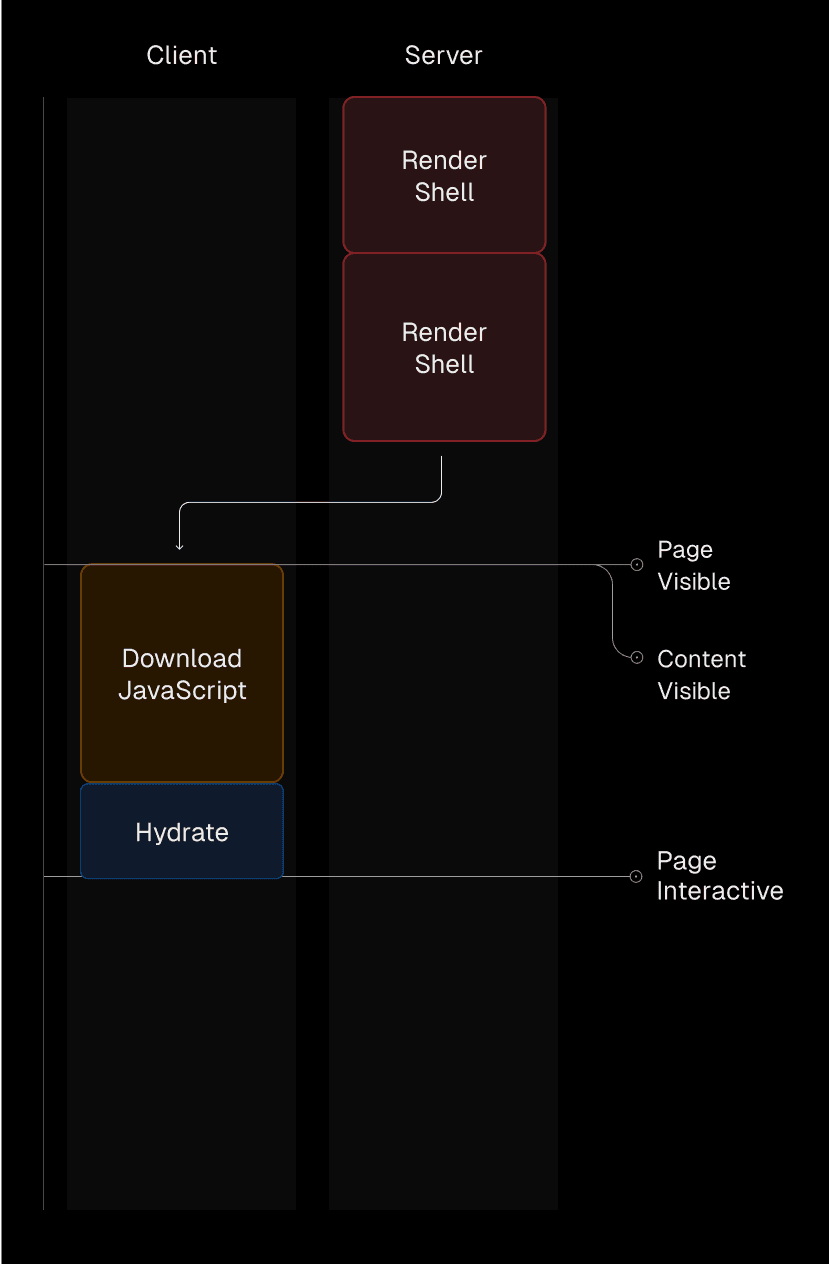
Server Components are a big step forward for speed and performance, enabling a better developer and user experience. Learn more about React Server Components.
Credit to Josh W. Comeau for inspiration on the rendering diagrams.
Try Server Components
This Next.js App Router template lets you experience Server Components with just a few clicks.
Deploy Now
Link to headingNew directives
Directives are not a React 19 feature, but they are related. With the introduction of React Server Components, bundlers need to distinguish where components and functions run. To accomplish this, there are two new directives to be aware of when creating React components:
'use client'marks code that runs only on the client. Since Server Components are the default, you will add'use client'to Client Components when using hooks for interactivity and state.'use server'marks server-side functions that can be called from client-side code. You do not need to add'use server'to Server Components, only Server Actions (more on that below). If you’d like to make sure a certain piece of code can only runs on the server, you can use theserver-onlynpm package.
Learn more about Directives.
Link to headingActions
React 19 introduces Actions. These functions replace using event handlers and integrate with React transitions and concurrent features.
Actions can be used on both the client and server. For example, you can have a Client Action which replaces previous usage of onSubmit for a form.
Rather than needing to parse the event, the action is directly passed the FormData.
import { useState } from "react";export default function TodoApp() { const [items, setItems] = useState([ { text: "My first todo" }, ]); async function formAction(formData) { const newItem = formData.get("item"); // Could make a POST request to the server to save the new item setItems((items) => [...items, { text: newItem }]); } return ( <> <h1>Todo List</h1> <form action={formAction}> <input type="text" name="item" placeholder="Add todo..." /> <button type="submit">Add</button> </form> <ul> {items.map((item, index) => ( <li key={index}>{item.text}</li> ))} </ul> </> );}Link to headingServer Actions
Going further, Server Actions allow Client Components to call async functions executed on the server. This provides additional advantages, like reading the file system or making direct database calls, removing the need for creating bespoke API endpoints for your UI.
Actions are defined with the 'use server' directive and integrate with client-side components.
To call a Server Action in a Client Component, create a new file and import it:
'use server' export async function create() { // Insert into database}"use client";import { create } from "./actions";export default function TodoList() { return ( <> <h1>Todo List</h1> <form action={create}> <input type="text" name="item" placeholder="Add todo..." /> <button type="submit">Add</button> </form> </> );}Learn more about Server Actions.
Link to headingNew hooks
To complement Actions, React 19 introduces three new hooks to make state, status, and visual feedback easier. These are particularly useful when working with forms, but they can also be used on other elements, like buttons.
Link to headinguseActionState
This hook simplifies managing form states and form submissions. Using Actions, it captures form input data, handles validation, and error states, reducing the need for custom state management logic. The useActionState hook also exposes a pending state that can show a loading indicator while the action is being executed.
"use client";import { useActionState } from "react";import { createUser } from "./actions";const initialState = { message: "",};export function Signup() { const [state, formAction, pending] = useActionState(createUser, initialState); return ( <form action={formAction}> <label htmlFor="email">Email</label> <input type="text" id="email" name="email" required /> {/* ... */} {state?.message && <p aria-live="polite">{state.message}</p>} <button aria-disabled={pending} type="submit"> {pending ? "Submitting..." : "Sign up"} </button> </form> );}Learn more about useActionState.
Link to headinguseFormStatus
This hook manages the status of the last form submission, and it must be called from inside a component that is also inside a form.
import { useFormStatus } from "react-dom";import action from "./actions";function Submit() { const status = useFormStatus(); return <button disabled={status.pending}>Submit</button>;}export default function App() { return ( <form action={action}> <Submit /> </form> );}While useActionState has a built-in pending status, useFormStatus is useful on its own when:
There is no form state
Creating shared form components
There are multiple forms on the same page—
useFormStatuswill only return status information for a parent form
Learn more about useFormStatus.
Link to headinguseOptimistic
This hook lets you optimistically update the UI before the Server Action finishes executing, rather than waiting for the response. When the async action completes, the UI updates with the final state from the server.
The following example demonstrates optimistically adding a new message to a thread immediately, while the message is also sent to the Server Action for persistence.
"use client";import { useOptimistic } from "react";import { send } from "./actions";export function Thread({ messages }) { const [optimisticMessages, addOptimisticMessage] = useOptimistic( messages, (state, newMessage) => [...state, { message: newMessage }], ); const formAction = async (formData) => { const message = formData.get("message") as string; addOptimisticMessage(message); await send(message); }; return ( <div> {optimisticMessages.map((m, i) => ( <div key={i}>{m.message}</div> ))} <form action={formAction}> <input type="text" name="message" /> <button type="submit">Send</button> </form> </div> );}Learn more about useOptimistic.
Link to headingNew API: use
The use function offers first-class support for promises and context during rendering. Unlike other React Hooks, use can be called within loops, conditional statements, and early returns. Error handling and loading will be handled by the nearest Suspense boundary.
The following example shows a loading message while the cart items promise resolves.
import { use } from "react";function Cart({ cartPromise }) { // `use` will suspend until the promise resolves const cart = use(cartPromise); return cart.map((item) => <p key={item.id}>{item.title}</p>);}function Page({ cartPromise }) { return ( /*{ ... }*/ // When `use` suspends in Cart, this Suspense boundary will be shown <Suspense fallback={<div>Loading...</div>}> <Cart cartPromise={cartPromise} /> </Suspense> );}This allows you to group components together so they render only when all the components’ data is available.
Learn more about use.
Link to headingPreloading resources
React 19 adds several new APIs to improve page load performance and user experience by loading and preloading resources such as scripts, stylesheets, and fonts.
prefetchDNSprefetches the IP address of a DNS domain name you expect to connect to.preconnectconnects to a server you expect to request resources from, even if the exact resources are unknown at the time.preloadfetches a stylesheet, font, image, or external script that you expect to use.preloadModulefetches an ESM module that you expect to use.preinitfetches and evaluates an external script or fetches and inserts a stylesheet.preinitModulefetches and evaluates an ESM module.
For example, this React code would result in the following HTML output. Note that links and scripts are prioritized and ordered by how early they should load, not based on the order they are used in React.
// React codeimport { prefetchDNS, preconnect, preload, preinit } from "react-dom";function MyComponent() { preinit("https://.../path/to/some/script.js", { as: "script" }); preload("https://.../path/to/some/font.woff", { as: "font" }); preload("https://.../path/to/some/stylesheet.css", { as: "style" }); prefetchDNS("https://..."); preconnect("https://...");}<!-- Resulting HTML --><html> <head> <link rel="prefetch-dns" href="https://..." /> <link rel="preconnect" href="https://..." /> <link rel="preload" as="font" href="https://.../path/to/some/font.woff" /> <link rel="preload" as="style" href="https://.../path/to/some/stylesheet.css" /> <script async="" src="https://.../path/to/some/script.js"></script> </head> <body> <!-- ... --> </body></html>React frameworks frequently handle resource loading like this for you, so you might not have to call these APIs yourself.
Learn more about Resource Preloading APIs.
Link to headingOther improvements
Link to headingref as a prop
There’s no need for forwardRef anymore. React will provide a codemod to make transitioning easier.
function CustomInput({ placeholder, ref }) { return <input placeholder={placeholder} ref={ref} />;}// ...<CustomInput ref={ref} />;Link to headingref callbacks
In addition to ref as a prop, refs can also return a callback function for cleanup. When a component unmounts, React will call the cleanup function.
<input ref={(ref) => { // ref created // Return a cleanup function to reset // ref when element is removed from DOM. return () => { // ref cleanup }; }}/>;Link to headingContext as a provider
There’s no need for <Context.Provider> anymore. You can use <Context> directly instead. React will provide a codemod to convert existing providers.
const ThemeContext = createContext("");function App({ children }) { return <ThemeContext value="dark">{children}</ThemeContext>;}Link to headinguseDeferredValue initial value
An initialValue option has been added to useDeferredValue. When provided, useDeferredValue will use the value for the initial render and schedule a re-render in the background, returning the deferredValue.
function Search({ deferredValue }) { // On initial render the value is ''. // Then a re-render is scheduled with the deferredValue. const value = useDeferredValue(deferredValue, ""); return <Results value={value} />;}Link to headingDocument metadata support
React 19 will natively hoist and render title, link, and meta tags, even from nested components. There’s no need for third-party solutions to manage these tags anymore.
function BlogPost({ post }) { return ( <article> <h1>{post.title}</h1> <title>{post.title}</title> <meta name="author" content="Jane Doe" /> <link rel="author" href="https://x.com/janedoe" /> <meta name="keywords" content={post.keywords} /> <p>...</p> </article> );}Link to headingStylesheet support
React 19 allows controlling stylesheet loading order with precedence. This makes colocating stylesheets near components easier, and React only loads them if they are used.
There are a few points to keep in mind:
If you render the same component in multiple places within your application, React will deduplicate the stylesheet and only include it once in the document.
When server-side rendering, React will include the stylesheet in the head. This ensures that the browser will not paint until it has loaded.
If the stylesheet is discovered after streaming has started, React will ensure that the stylesheet is inserted into the
<head>on the client before revealing the content that depends on that stylesheet through a Suspense boundary.During client-side rendering, React will wait for newly rendered stylesheets to load before committing the render.
function ComponentOne() { return ( <Suspense fallback="loading..."> <link rel="stylesheet" href="one" precedence="default" /> <link rel="stylesheet" href="two" precedence="high" /> <article>...</article> </Suspense> );}function ComponentTwo() { return ( <div> <p>...</p> {/* Stylesheet "three" below will be inserted between "one" and "two" */} <link rel="stylesheet" href="three" precedence="default" /> </div> );}Link to headingAsync scripts support
Render async scripts in any component. This makes colocating scripts near components easier, and React only loads them if they are used.
There are a few points to keep in mind:
If you render the same component in multiple places within your application, React will deduplicate the script and only include it once in the document.
When server-side rendering, async scripts will be included in the head and prioritized behind more critical resources that block paint, such as stylesheets, fonts, and image preloads.
function Component() { return ( <div> <script async={true} src="..." /> // ... </div> );}function App() { return ( <html> <body> <Component> // ... </Component> // Won't duplicate script in the DOM </body> </html> );}Link to headingCustom Elements support
Custom Elements allow developers to define their own HTML elements as a part of the Web Components specification. In previous versions of React, using Custom Elements has been difficult because React treats unrecognized props as attributes rather than properties.
React 19 adds full support for Custom Elements and passes all tests on Custom Elements Everywhere.
Link to headingBetter error reporting
Error handling improves by removing duplicate error messages.
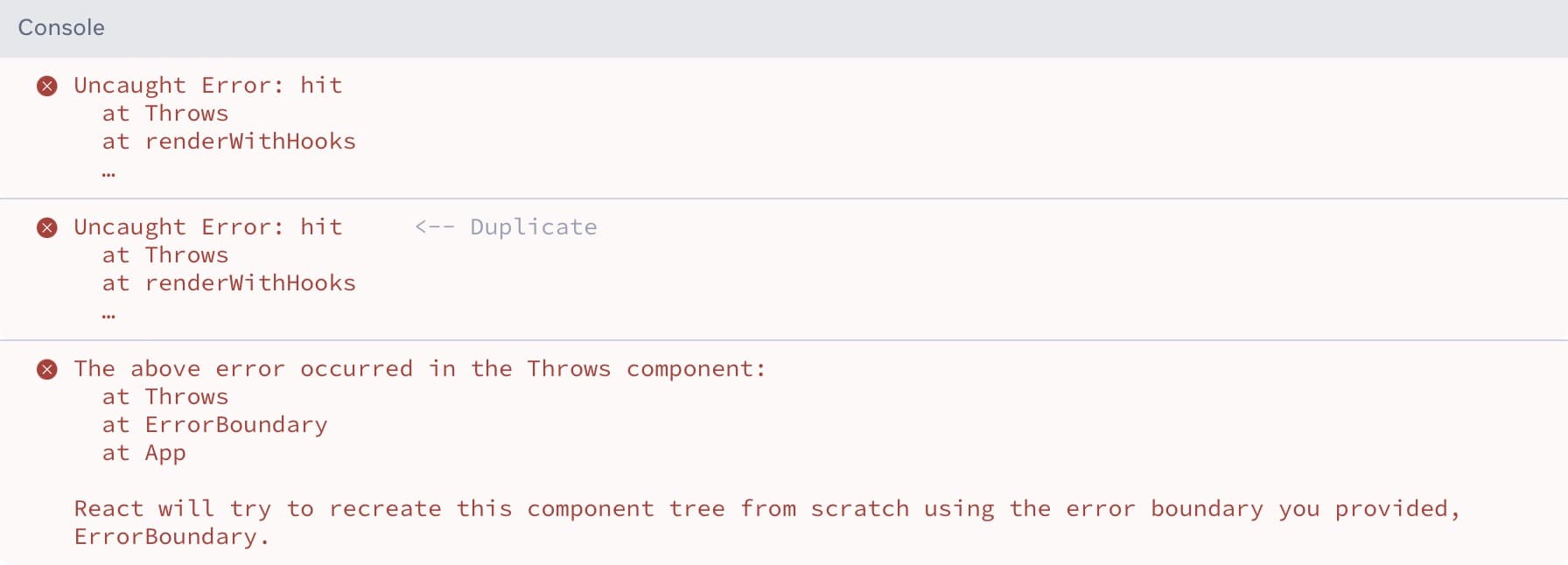
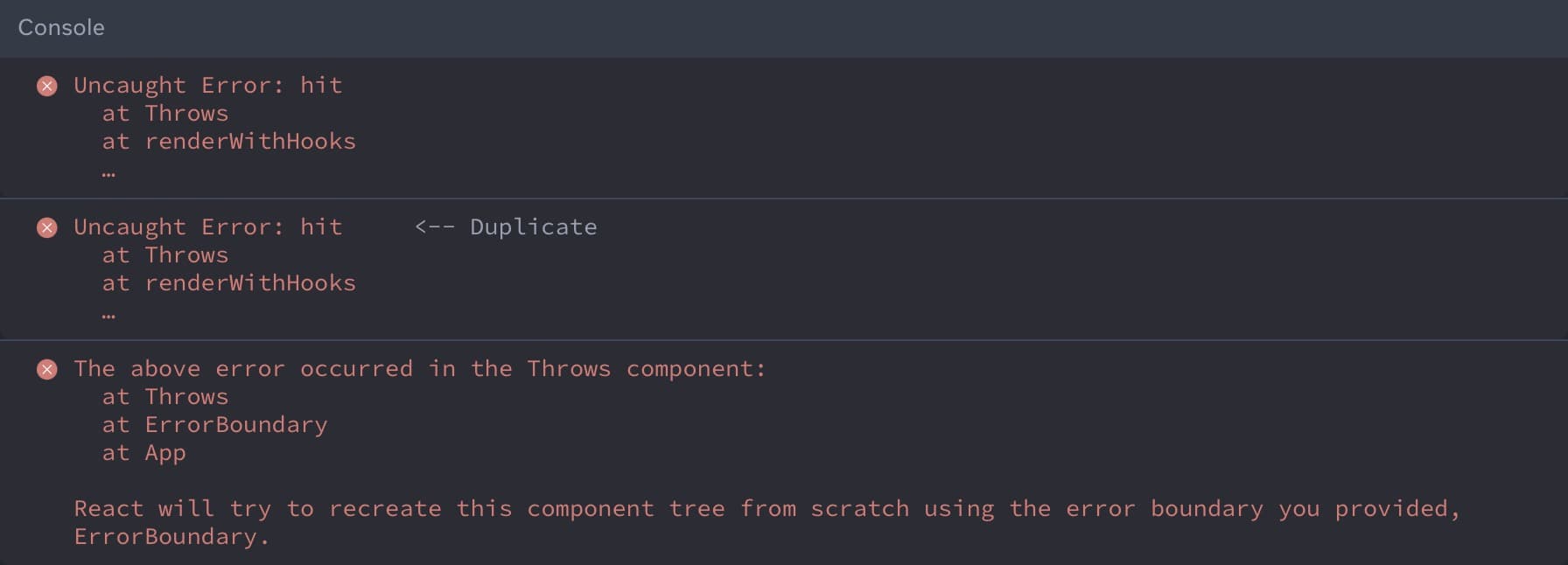
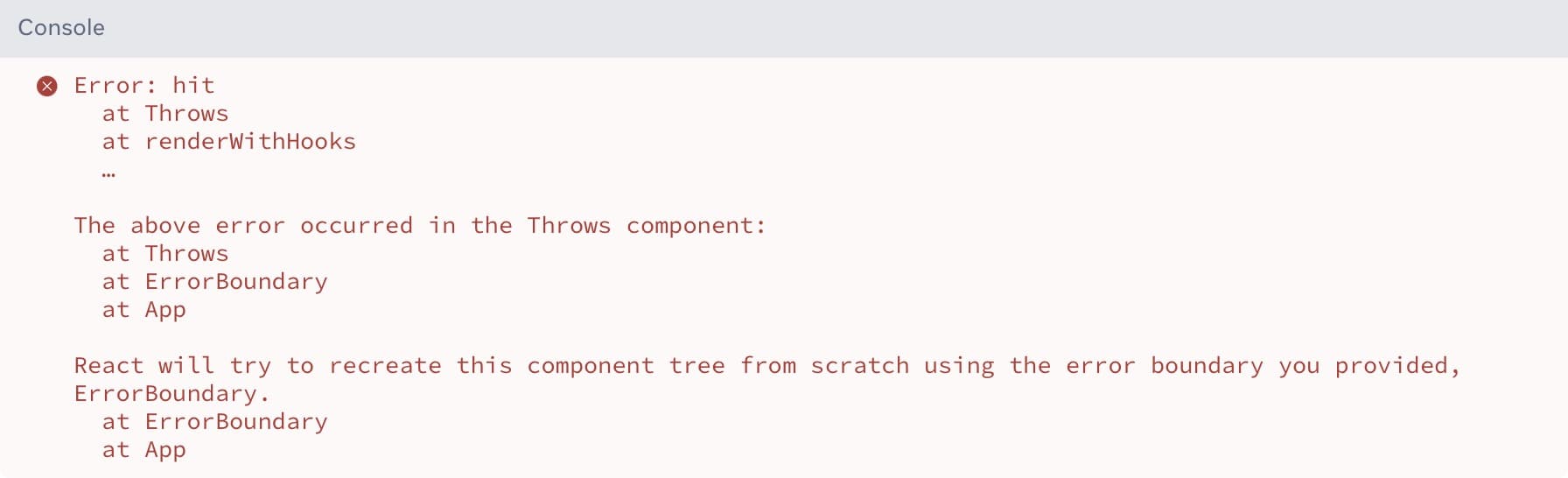
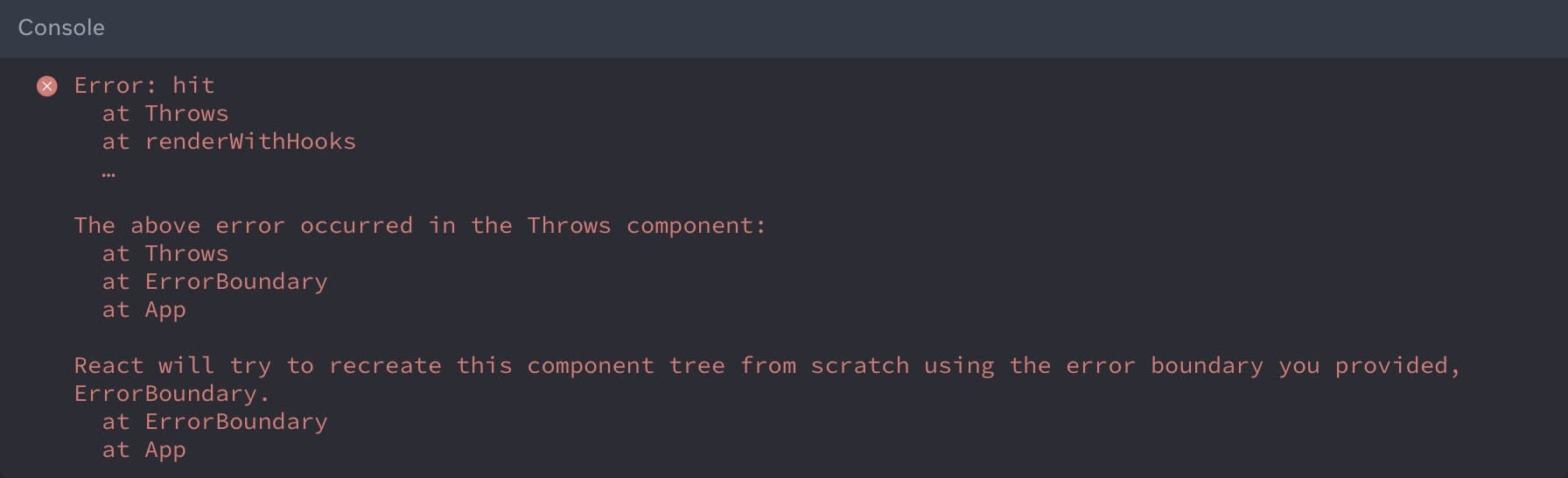
Hydration errors improve by logging a single mismatch error instead of multiple errors. Error messages also include information on how to possibly fix the error.
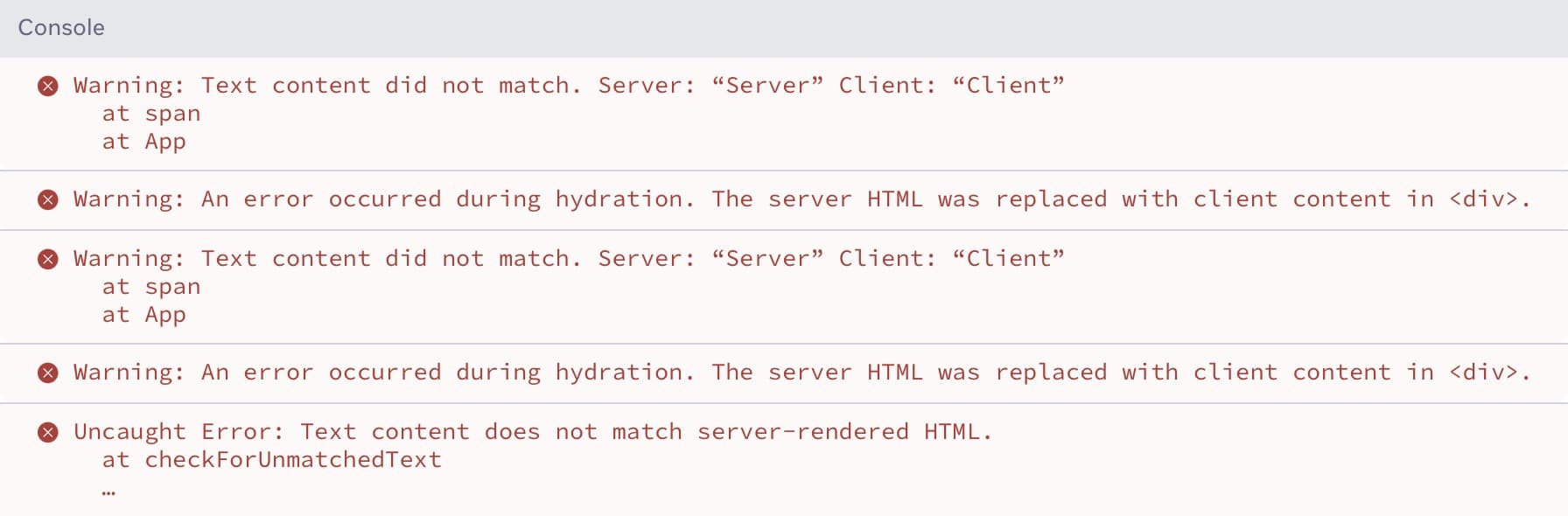
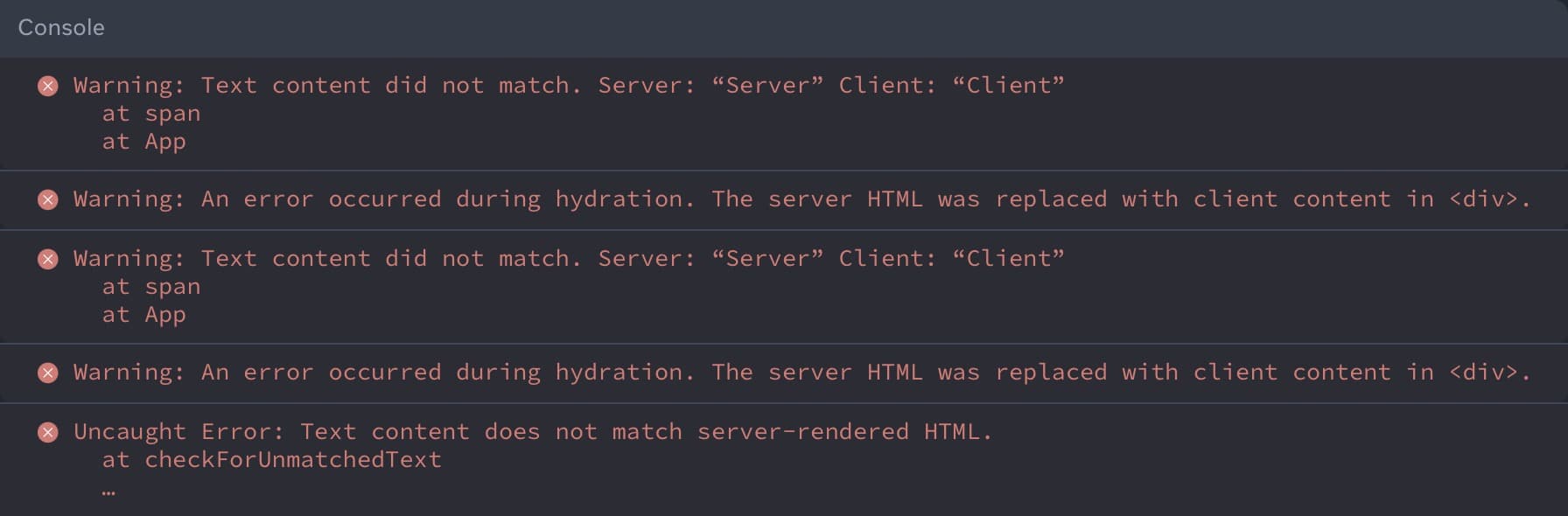
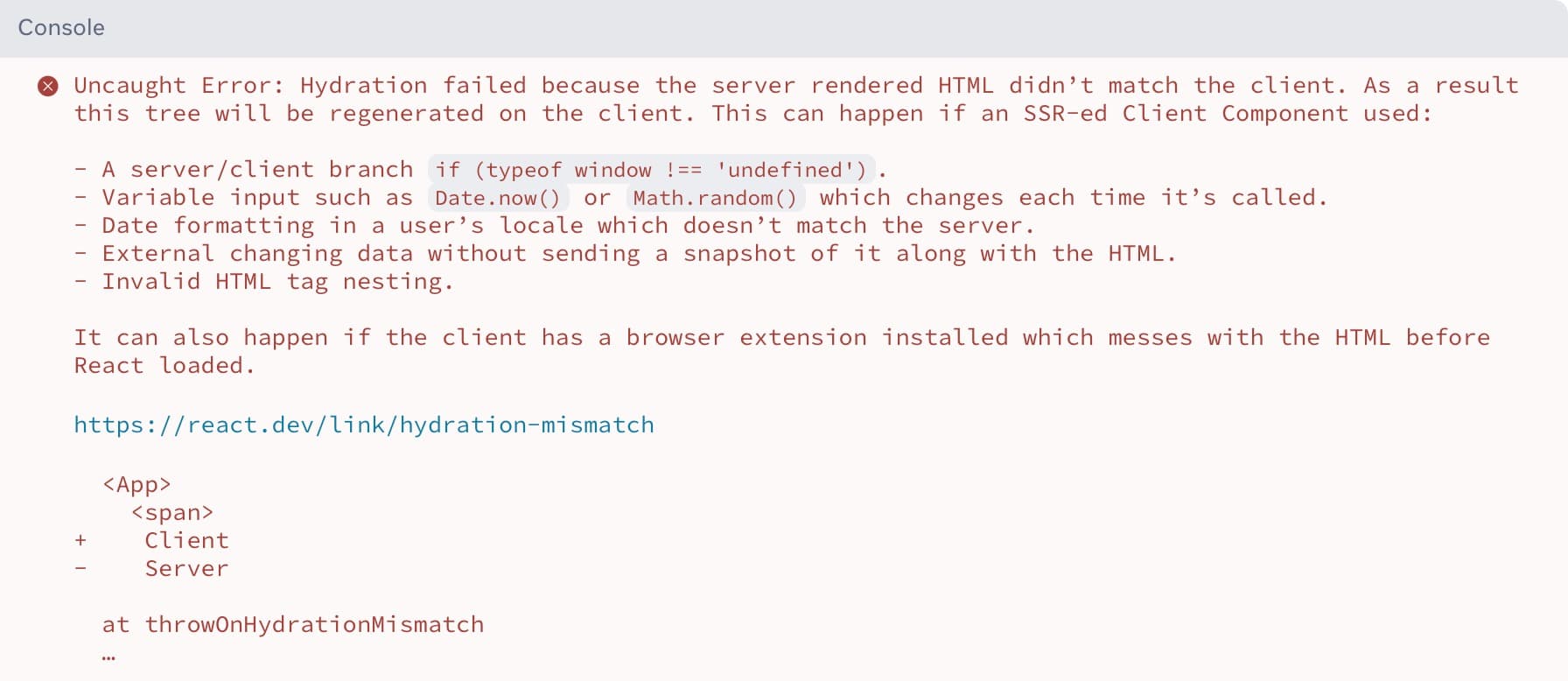
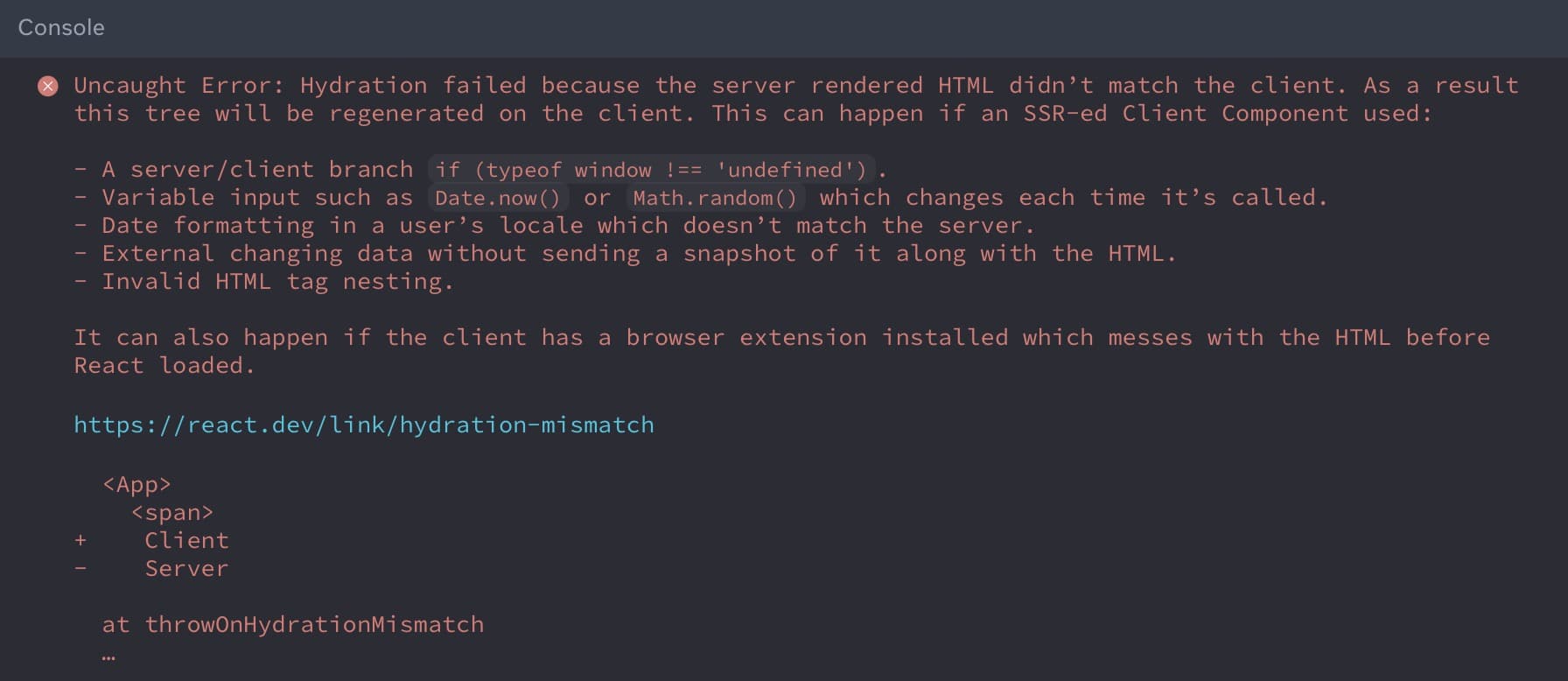
Hydration errors when using third-party scripts and browser extensions also improve. Previously, elements inserted by third-party scripts or browser extensions would trigger a mismatch error. In React 19, unexpected tags in the head and body will be skipped over and will not throw an error.
Lastly, React 19 adds two new root options in addition to the existing onRecoverableError, to provide better clarity on why the error is happening.
onCaughtErrortriggers when React catches an error in an Error Boundary.onUncaughtErrortriggers when an error is thrown and not caught by an Error Boundary.onRecoverableErrortriggers when an error is thrown and automatically recovered.
Link to headingGetting started with React 19 on Vercel
React 19 marks a significant evolution in the framework, introducing powerful new features and capabilities. These enhancements increase performance and offer a more seamless experience for developers and users alike.
The following frameworks make it easy to get started with React 19 today:
Astro
Deploy React 19 with Astro.
▲ Deploy
Next.js 15 RC
Deploy React 19 with Next.js 15 RC.
▲ Deploy
Vite
Deploy React 19 with Vite.
▲ Deploy
Waku
Deploy React 19 with Waku.
▲ Deploy