
Exploring the usage of feature flags in Next.js with Vercel's Flags SDK.
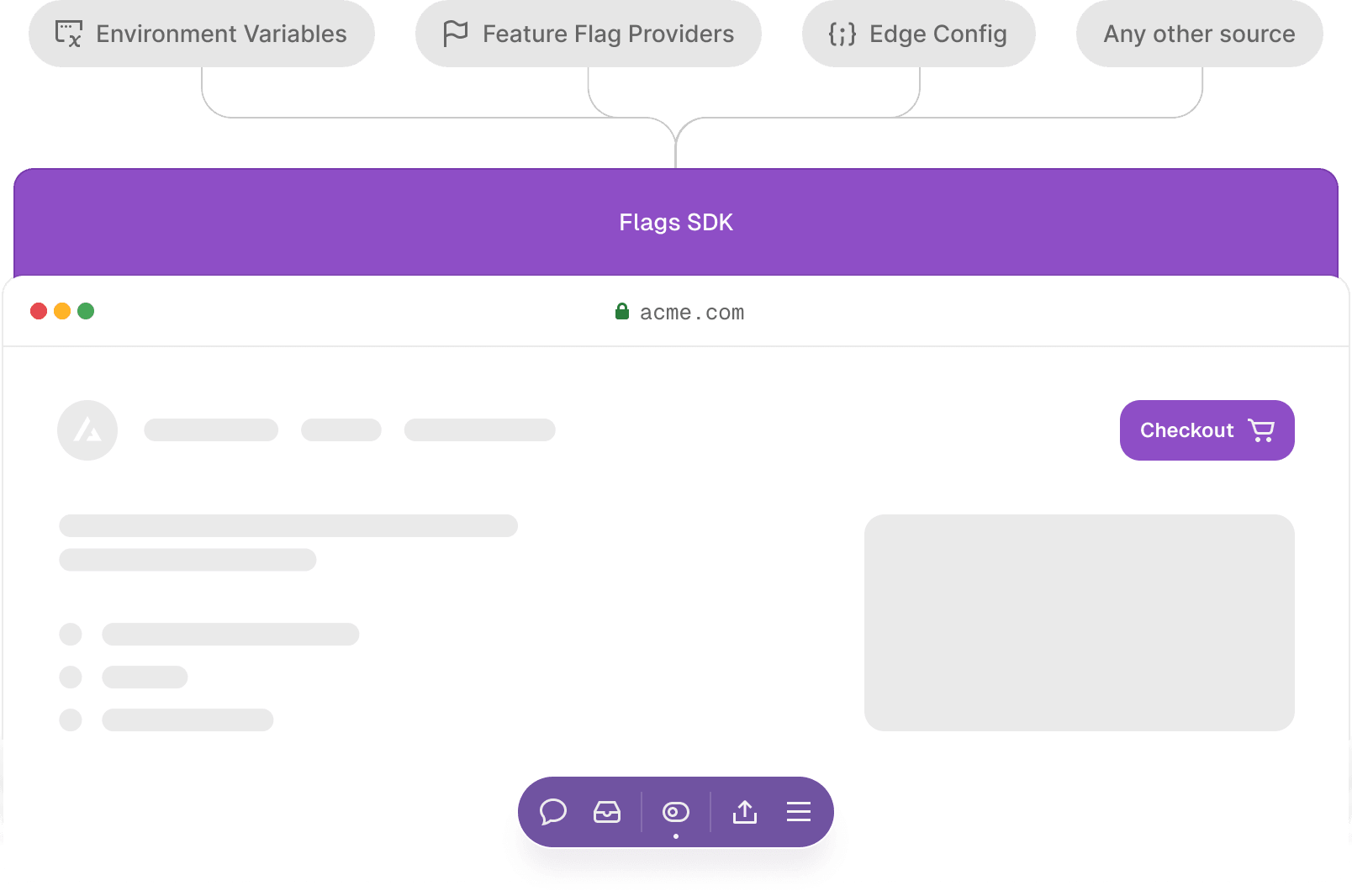
We recently introduced a new Flags SDK that allows using feature flags, in Next.js and SvelteKit, and works with any feature flag provider—or when using no flag provider at all. It's not meant to be a competitor to other feature flag providers. Instead, it’s a tool that sits between your application and the source of your flags, helping you follow best practices for using feature flags and experiments, keeping your website fast.
Follow along below to get started with the Flags SDK, beginning with a simple feature flag to more sophisticated cases, discussing tradeoffs along the way.
Contents
Basic start
Guiding principles of the Flags SDK
Feature Flags are functions
Feature Flags are only ever evaluated on the server
Feature Flags accept no arguments on the call side
A primitive flag
Flag progressions and their tradeoffs
Basic case
Overriding from Vercel Toolbar
Using an environment variable
Using Edge Config
A primer on Edge Config
Using a feature flag provider
A note on init time
OpenFeature
Get started today
Try the template
Jump right in with this ecommerce example that shows how to use the Flags SDK for Next.js applications. Deploy the template with one click.
Get started
Copy link to headingBasic start
Install the Flags SDK using npm install flags.
Then declare a simple feature flag for Next.js like this:
import { flag } from "flags/next";export const showBanner = flag({ key: "banner", decide: () => false,});We can then call the showBanner feature flag function in any server context:
import { showBanner } from "../flags";export default async function Page() { const banner = await showBanner(); return ( <div> {banner ? <Banner /> : null} {/* other components */} </div> );}Calling await showBanner() returns the value of our feature flag. Since the decide function is set to always return false, the banner will not be shown.
Tip: Use Flags Explorer to override any feature flags for your own session without affecting your team members. Overrides are great for ensuring features work before you release them for everyone. Flags SDK automatically respects overrides set by Flags Explorer. _
Copy link to headingGuiding principles of the Flags SDK
There are several differences to how the SDKs of most feature flagging providers work today. It's an abstraction that both encodes our best practices for working with feature flags in Next.js, while also allowing you to easily transition between different sources for your feature flags.
Copy link to headingFeature Flags are functions
Turning each feature flag into its own function means the implementation can change without having to touch the call side. It also allows you to use your well-known editor aids like "Find All References" to see if a flag is still in use.
Copy link to headingFeature Flags are only ever evaluated on the server
Flags are only ever calculated on the server. The resolved value can be passed down to the client, but the evaluation itself happens server-side. This approach mitigates common pitfalls of client-side feature flag usage, such as layout shifts, jank, or exposing sensitive flags to the client.
When loading feature flags client-side there are hard limitations where the client simply doesn't know the state of feature flags until they initialize. This means you're left picking the worse of two evils: showing a loading spinner or potentially flashing the wrong variant until loading completes. That's why we always force server-side evaluation.
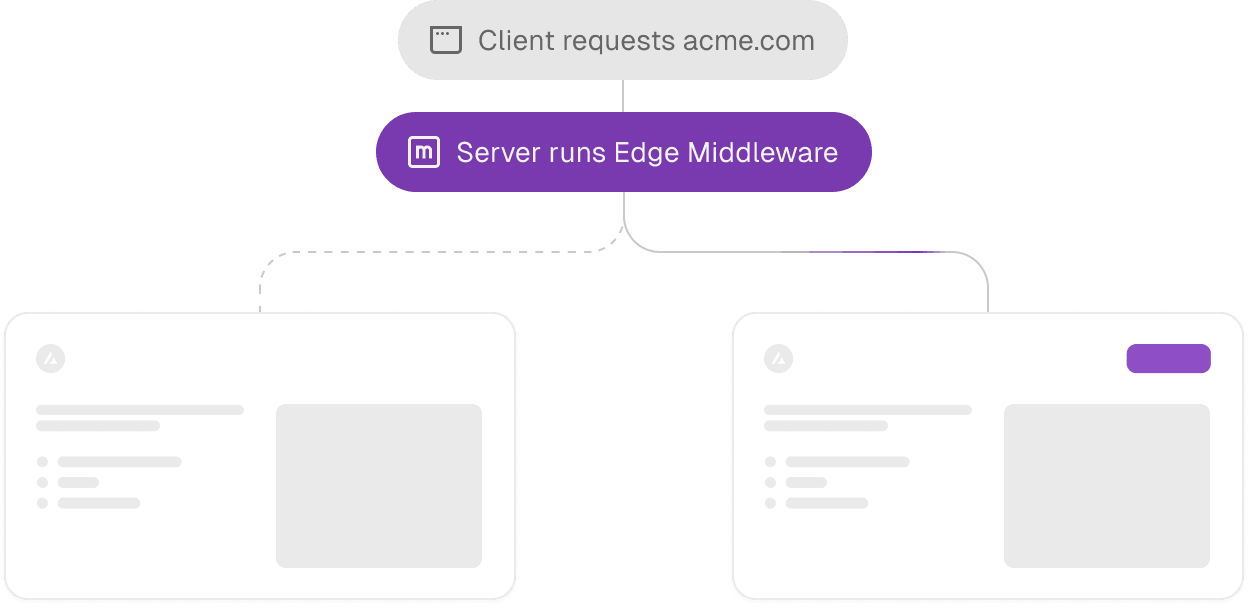
However, server-side evaluation doesn't necessarily mean dynamic pages. The SDK introduces a pattern called precomputing, which enables generating multiple variants of a static page and using Routing Middleware to route between them. This allows keeping pages completely static even when they have multiple feature flags on them. It's especially beneficial for experimentation on marketing pages, but it also works extremely well for serving multiple static shells for Partial Prerendering.
You can learn more about precomputing feature flags here.
Copy link to headingFeature Flags accept no arguments on the call side
When we declared the showBanner feature flag we provided a decide function. This function is called to determine the value of a feature flag for a given request.
On the call side, when using showBanner() it's not possible to provide any arguments to the showBanner function. It would technically be trivial for us to forward the passed arguments to the decided function, but we introduced this limitation on purpose.
Not being able to pass any information from the call side means the feature flag itself must be able to gather all information it depends on. We can use Next.js concepts like headers() and cookies() to gather information about the current request from within the decide function. We can further call React's cache function to ensure expensive computation and data loading is deduplicated across feature flags.
This means any call side is guaranteed to see the same value of the feature flag since they all by definition provide the same arguments.
It also means we can locally reason about the value a feature flag will resolve to, since we only need to look at the given decide function. This is huge for being able to change the implementation without having to change the call side. It allows migrating from one flag provider to another, on a flag by flag basis, while only changing a single file.
And finally, it's brilliant for delete-ability of feature flags. When you remove a feature flag from code all the data it relied on will no longer be requested. There is no context that's being established outside of the flag that ultimately ends up unused and any data requirements are deleted along with the flag.
Copy link to headingA primitive flag
Let's bring flags back to their most basic form before diving deeper into the SDK.
const showBanner = false;Even a variable in code could can be seen as a feature flag. By changing the value and redeploying you're able to modify the behavior of the application.
The value of this feature flag could be loaded from a configuration file, an environment variable, a database or a feature flag provider. The value could be the same for all visitors, or maybe it depends on information present on the request which triggered the evaluation of this feature flag. For example a flag might be on for visitors from a certain region only.
Or maybe the value of a flag even depends on data which first needs to be derived from the incoming request. Imagine a flag which should only be on for users who are part of a certain team. When your application receives a request with an Authorization header, it would first need to validate the provided token, and then potentially check whether that user is part of said team.
Copy link to headingFlag progressions and their tradeoffs
Let's explore various progressions of using feature flags and their respective trade-offs.
Copy link to headingBasic case
As we've seen, in its most basic form, you declare a feature flag like this when using the SDK:
import { flag } from "flags/next";export const showBanner = flag({ key: "banner", decide: () => false,});In the earlier example we've set the showBanner flag's decide function to always return false. So if we merged this to production the banner would always be hidden. If we wanted to turn the flag on, we could change the decide function to return true and redeploy.
This is really the simplest possible case of a feature flag. We'll of course get into more advanced cases in a bit, but let's first see what this basic usage gives us and where it falls short.
Upsides
The flag resolves immediately. As we hardcoded the value there is no network latency to resolve the flag.
Availability. As we hardcoded the value it will always be available.
Change history. We can see who changed the values through git.
Downsides
Slow to change. Changing the value requires making code changes and redeploying.
Change bound to deployment. We can't change the value of a feature flag without redeploying. This means any existing deployments will never see the new value. And any deployments on other branches will not see the new value until our code change makes it onto that branch.
Changes affect everyone. By hardcoding the boolean value we force the same value for every visitor.
Copy link to headingOverriding from Vercel Toolbar
The Vercel Toolbar is available on preview and production deployments, locally during development. Learn how to set it up for production and for development.
We were able to use the Flags SDK and Vercel's Flags Explorer to override a flag and place real-life orders in production before revealing a set of new payment methods to our customers. This setup gives us peace of mind and makes releasing new features almost boring as we've already seen them working behind the flag.Phil Wolstenholme Lead Frontend Engineer at Co-op
Vercel Toolbar allows viewing and overriding your feature flags. When you use our Flags SDK you can expose your application's feature flags through an endpoint called /.well-known/vercel/flags. Vercel Toolbar will make an authenticated request to that endpoint to load your application's flags. The flags you return from there will show up in your toolbar.
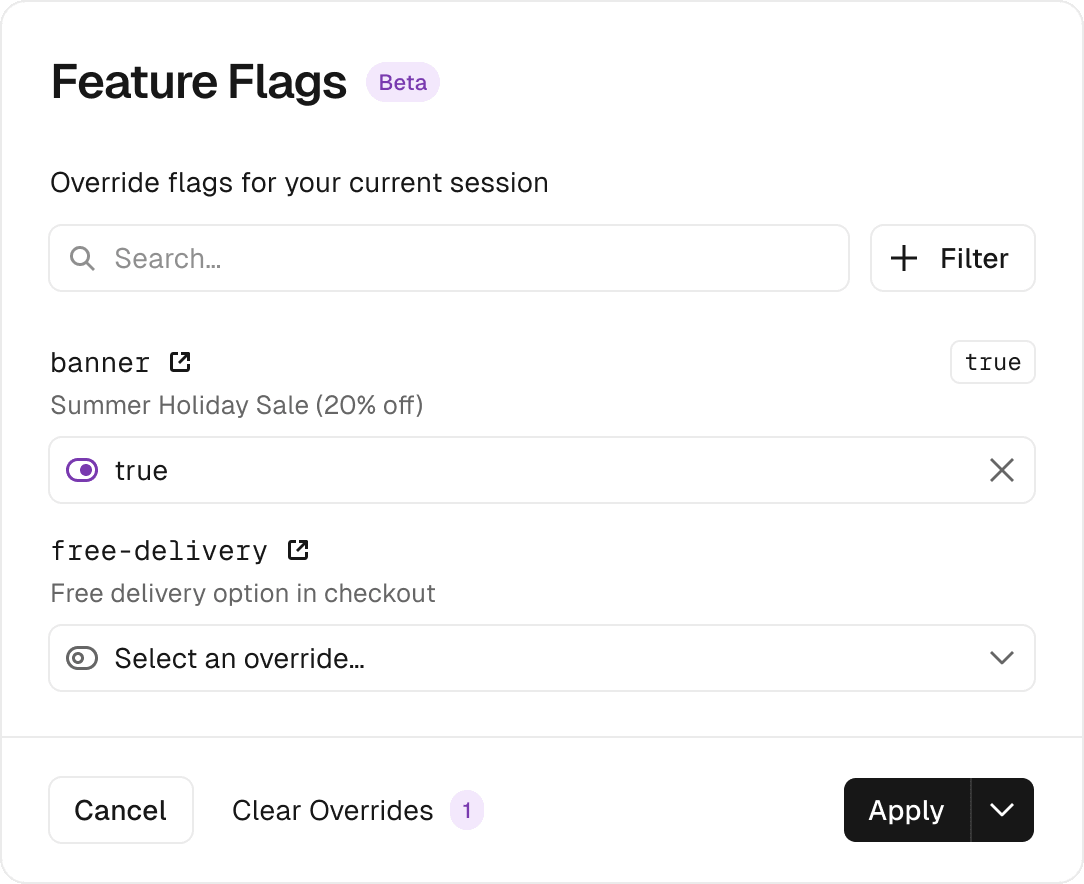
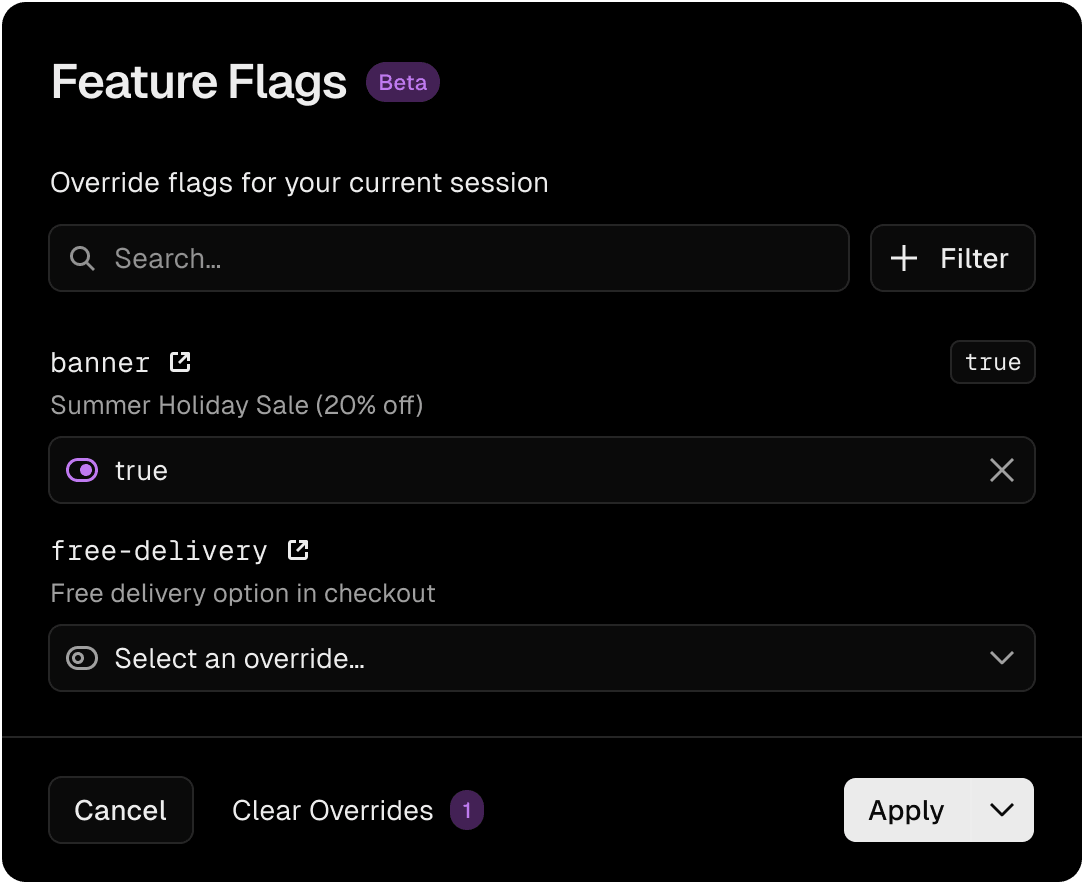
You can then override flags using the flags dialog in the toolbar. Any flags declared through the flag function from flags/next will automatically respect overrides set by the toolbar.
So when there is an override and you call the showBanner feature flag function it will return the override you set from the toolbar instead of calling the decide function you declared.
The way this works behind the scenes is that Vercel Toolbar sets a cookie called vercel-flag-overrides whenever you create an override. That cookie contains the name and value of each overridden feature flag. The cookie is also encrypted to prevent attackers from inserting arbitrary flag values. This allows any application to respect these overrides. And if you use the Flags SDK for Next.js they get respected automatically.
This is important because when we set the decide function to always return false, this allows us to merge our feature to production without showing it to anyone yet.
Safe releases
We could then use Vercel Toolbar to override the banner feature flag, so we can peek what the feature would look like and ensure it works correctly in production before turning it on for everyone.
Short-lived branches
Another benefit of this approach is using small branches and merging new functionality early, while keeping it hidden. This approach is called trunk based development. Splitting work into small branches that are merged early helps prevent long running branches that get out of sync with main, which helps avoid merge conflicts down the road.
End-to-end testing
Another benefit is that your end-to-end tests can call the encrypt function to create a flag override cookie value to be used in your tests. This way your end-to-end test can easily test multiple scenarios.
Note: This approach is perfect for trunk-based development. You can merge your code and try it out in production, without introducing latency or long running branches. And you don't even need to use any feature flagging provider, suffer any additional latency or take any risks on availability._
Copy link to headingUsing an environment variable
Instead of hardcoding our decide function to always return false we could check an environment variable instead.
export const showBanner = flag({ key: "banner", decide: () => process.env.SHOW_BANNER === "1",});This small change means we can change the feature flag for our end users without making code changes. Imagine setting the SHOW_BANNER environment variable to be on for preview deployments of a specific branch, but to be off for production. This way you could test the banner on those preview deployments without showing it to your users in production yet. You could still use Vercel Toolbar to override the flag in production once the branch merges.
When it's time to release the feature to production you simply flip the environment variable.
And since we hardcoded the environment variable we would still have the highest possible availability, paired with the lowest possible latency for this flag.
Changing the flag would still require redeploying, so changing the feature flag would not affect previous deployments. This is usually not what you want, and we can solve it using Edge Config in the next step.
Note: This approach is perfect for operational feature flags. Imagine swapping out a backend service like a payment gateway in case one is having issues.
Copy link to headingUsing Edge Config
So far, any changes to the flags required redeploying, and did not affect any existing deployments. In this step we'll change that.
The decide function can actually be asynchronous, which allows us to read any data source. You can imagine querying a database, or reading from an external configuration source.
Copy link to headingA primer on Edge Config
At Vercel we've built a data store tailored to storing feature flags and other configuration called Edge Config. Edge Config uses active global replication to push and colocate your configuration along with your compute. Reading Edge Config from applications deployed on Vercel typically takes under 1ms p90. Changes to Edge Config propagate globally in under 10s. It's extremely available and most Edge Config reads do not even go over the network. We can achieve these outstanding features since we handle your deployments, so we're in a unique position to also propagate configuration data along with them.
Okay, back to using an external data source like Edge Config from our Flags SDK.
The following code assumes your project is connected to an Edge Config which holds this data:
{ "flags": { "banner": true, "sale": false }}We can now use Edge Config's get function to read the "flags" key defined in Edge Config:
import { flag } from “flags/next”;import { get } from “@vercel/edge-config”;export const showBanner = flag({ key: “banner”, defaultValue: false, async decide() { // educational example, use @flags-sdk/edge-config for real applications const flags = await get(“flags”); return flags?.banner; }});The example above is educational to show how Edge Config and the Flags SDK connects, but it would cause a separate Edge Config read for every feature flag.
Use the Edge Config Provider which contains further optimizations like only reading the underlying Edge Config once per request rather than once for every feature flag:
import { flag } from 'flags/next';import { edgeConfigAdapter } from '@flags-sdk/edge-config'; export const showBanner = flag({ // Will get the `example-flag` key from the `flags` object key: 'banner', // Will load the `flags` key from Edge Config adapter: edgeConfigAdapter(),});With this new setup, we can now edit Edge Config and the new value will be used by our flag without having to redeploy our application. To change values in Edge Config we can either use the API endpoint or the editor.
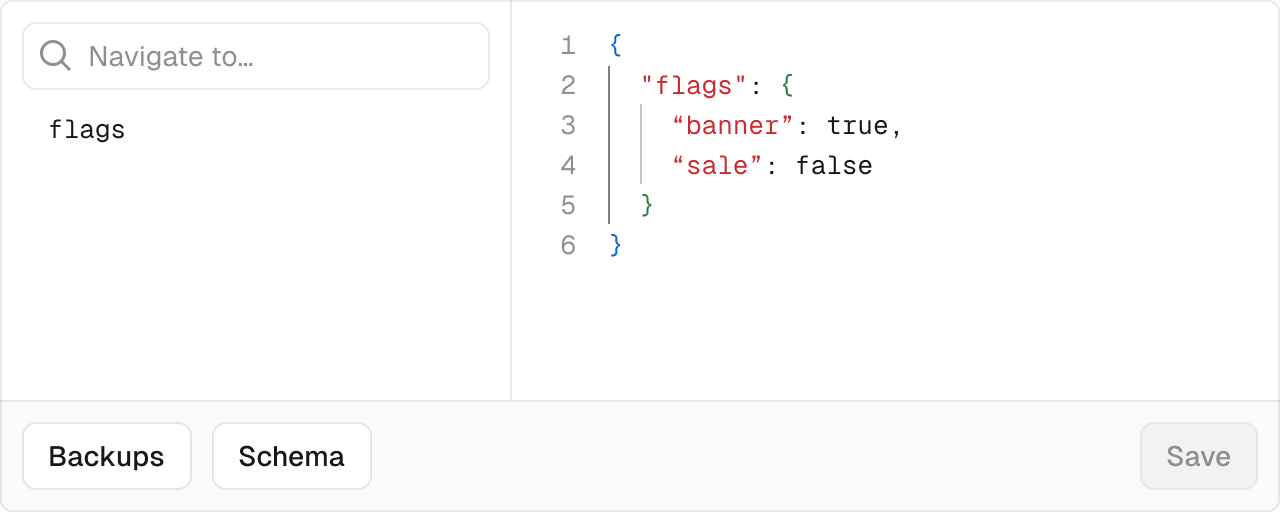
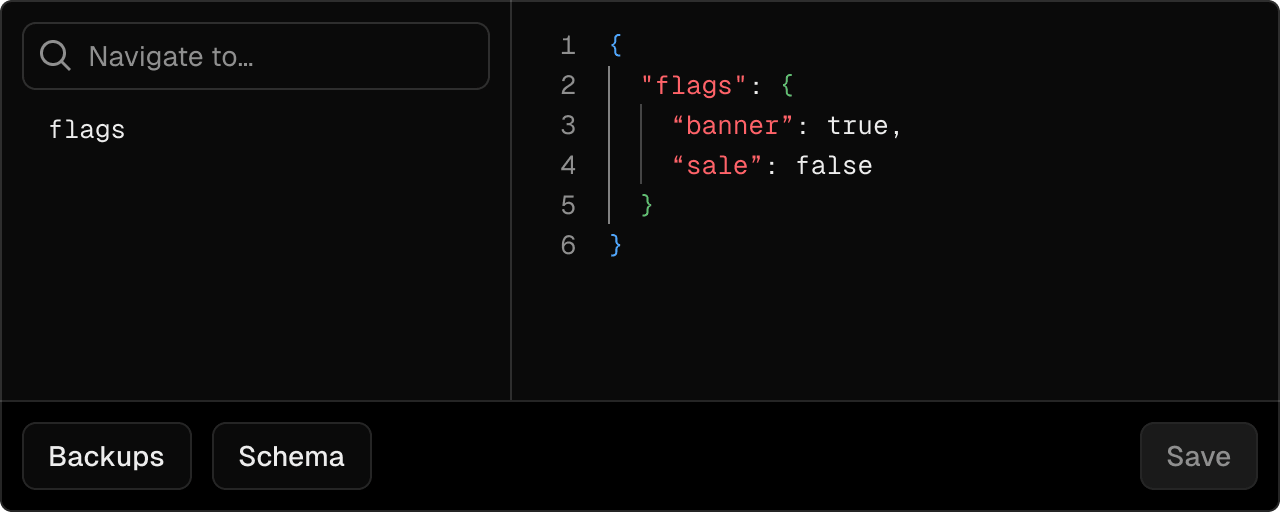
This means we no longer need to wait for a redeployment, so the new value is available in seconds, globally.
You'll notice that Edge Config is an async function, so we're no longer getting the value immediately. We introduced a tiny bit of latency. But since Edge Config was built for this exact use case the additional latency is negligible.
So we've now traded a bit of added latency for the ability to change feature flags without having to redeploy our applications.
Note:_ This approach is perfect for feature flags where you need to be able to quickly kill a feature, or when you want to time a launch perfectly. Since Edge Config creates a backup for every change you're also able to see a history of changes and restore previous values quickly._
Copy link to headingUsing a feature flag provider
In case you're already using a feature flag provider, you can integrate it with the Flags SDK using an adapter. Adapters replace the decide function entirely — the adapter handles fetching and resolving flag values from the provider, so you don't write a decide function yourself.
// flags.tsimport { flag } from "flags/next";import { statsigAdapter } from "@flags-sdk/statsig";export const showBanner = flag({ key: "banner", adapter: statsigAdapter.featureGate((gate) => gate.value),});The code snippet above uses the Vercel adapter to load feature flags managed in Vercel. Adapters supply the flag resolution logic, which is why no separate decide function is needed — the adapter is the implementation.
Copy link to headingA note on init time
The SDKs of most feature flag providers are built for long-running servers which fire an initial network request to load the flag configuration once and then update it in the background going forward. This works well in the traditional world of long-running servers as you only pay the price of the slow initial request once. But in today's serverless world, functions start and stop quite frequently, especially on Routing Middleware the average lifetime of a function instance is in the order of seconds, not minutes.
It's important that cold instances of your application are able to load flag configurations quickly to keep latency low. That's why we partnered with Statsig, Hypertune, LaunchDarkly, Split and more who created integrations which synchronize their feature flag configuration into Edge Config. Your application can then bootstrap your flag provider's SDK from Edge Config avoiding the initial network request and the latency that comes with it.
Copy link to headingOpenFeature
You might have wondered how the Flags SDK compares to OpenFeature. OpenFeature describes itself as an "open specification that provides a vendor-agnostic, community-driven API for feature flagging that works with your favorite feature flag management tool or in-house solution".
The Flags SDK and OpenFeature work really well together. You can use the Flags SDK OpenFeature adapter to get the value of a feature flag in a vendor-agnostic way. This way you can easily swap vendors while still benefiting from the Flag SDK's nice integration into frameworks and the pre-computation pattern.
Recap:_ We've seen we can use the Flags SDK to pick the right tradeoffs per feature flag, depending on how that feature flag is going to be used. It works well with existing feature flag providers and OpenFeature._
Copy link to headingGet started today
The Flags SDK allows you to choose the right tradeoff for each feature flag without having to refactor the code actually using your flags.
These progressions allow your flag to scale up and down as your feature matures. A flag can start out as a simple hardcoded boolean, mature to a rollout or full-blown experiment and then go back to being a simple operational toggle backed by an environment variable after a successful rollout.
We're excited to equip developers with these powerful new tools for working with feature flags, shipping safely, experimenting smarter, and building truly exceptional web experiences.
Check out the SDK
Start experimenting server-side, with better performance and less jank.
View the docs